

Setup Process
-
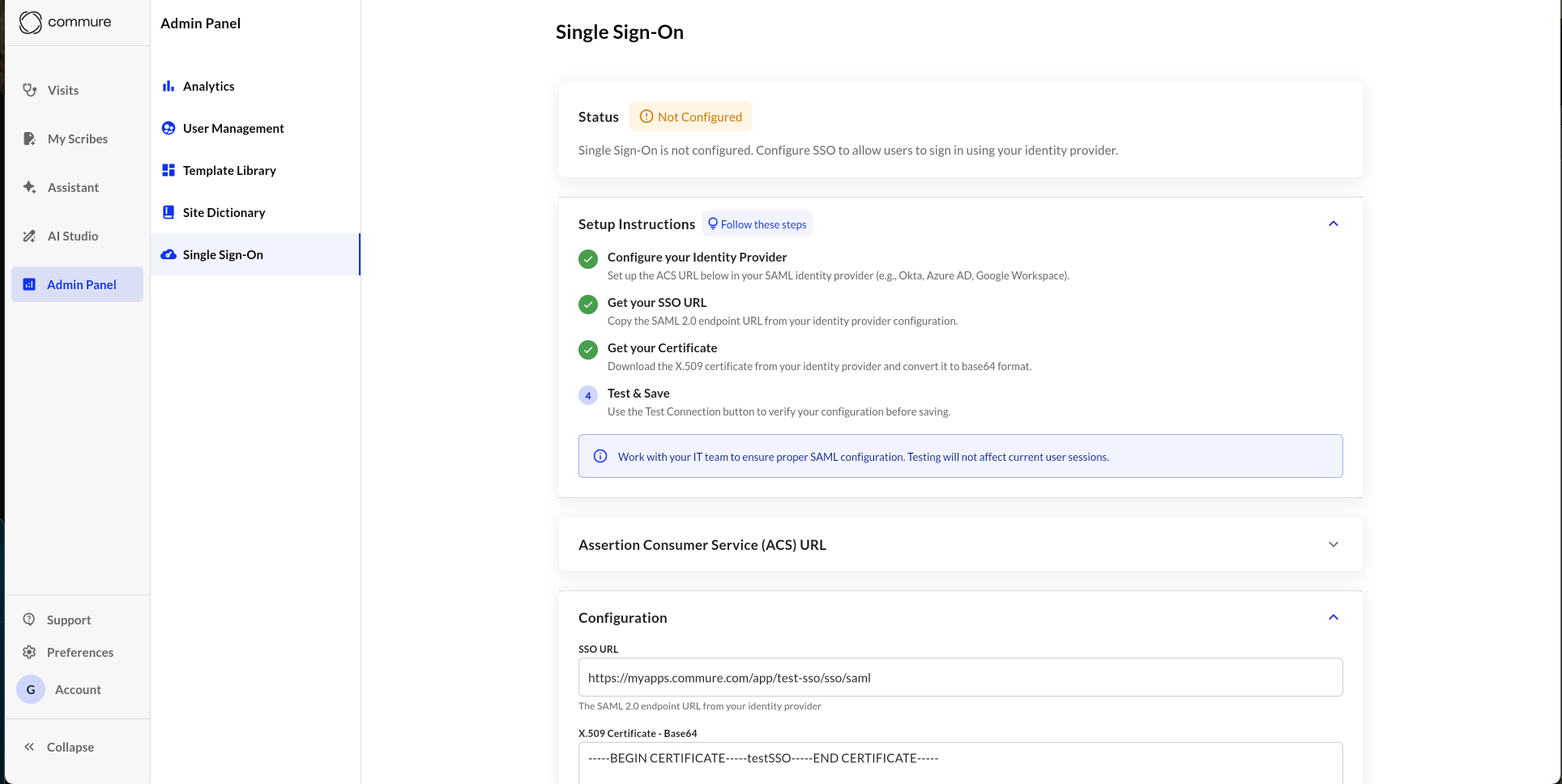
Open the Admin Panel
Go to Admin Panel → Single Sign-On. -
Configure Your Identity Provider (IdP)
Use the Assertion Consumer Service (ACS) URL provided in the app to set up a SAML 2.0 connection in your IdP (e.g., Okta, Azure AD, Google Workspace). -
Get Your SSO URL
Copy the SAML 2.0 endpoint URL (tenant url) from your IdP and paste it into the SSO URL field in the app. This needs to be the reachable URL that your providers get directed to. -
Get Your Certificate
Download the X.509 certificate from your IdP and convert it to Base64 format. Paste it into the Certificate field in the app. Keep the newlines and formatting you get from the base64 version. -
Check the Identifier (Entity ID)
Ensure the entity id is set to
https://rcm-api.athelas.com/v1/scribe. For majority of sites this will be correct. If your site is located outside the United States, please reach out to us to verify. -
Test the Connection
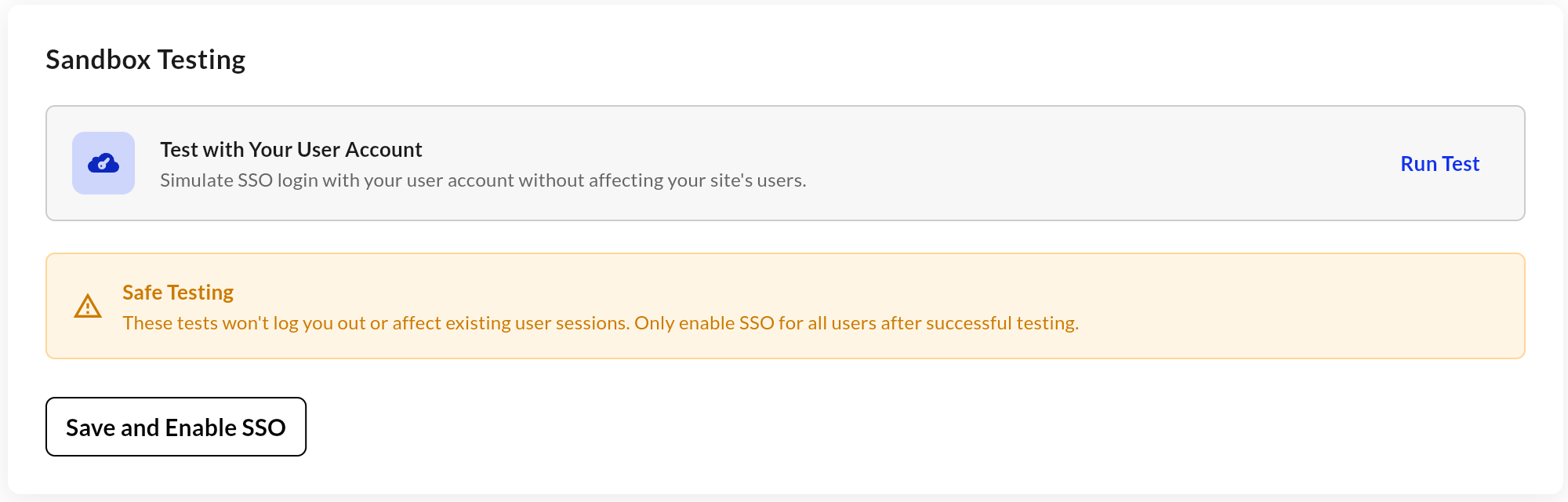
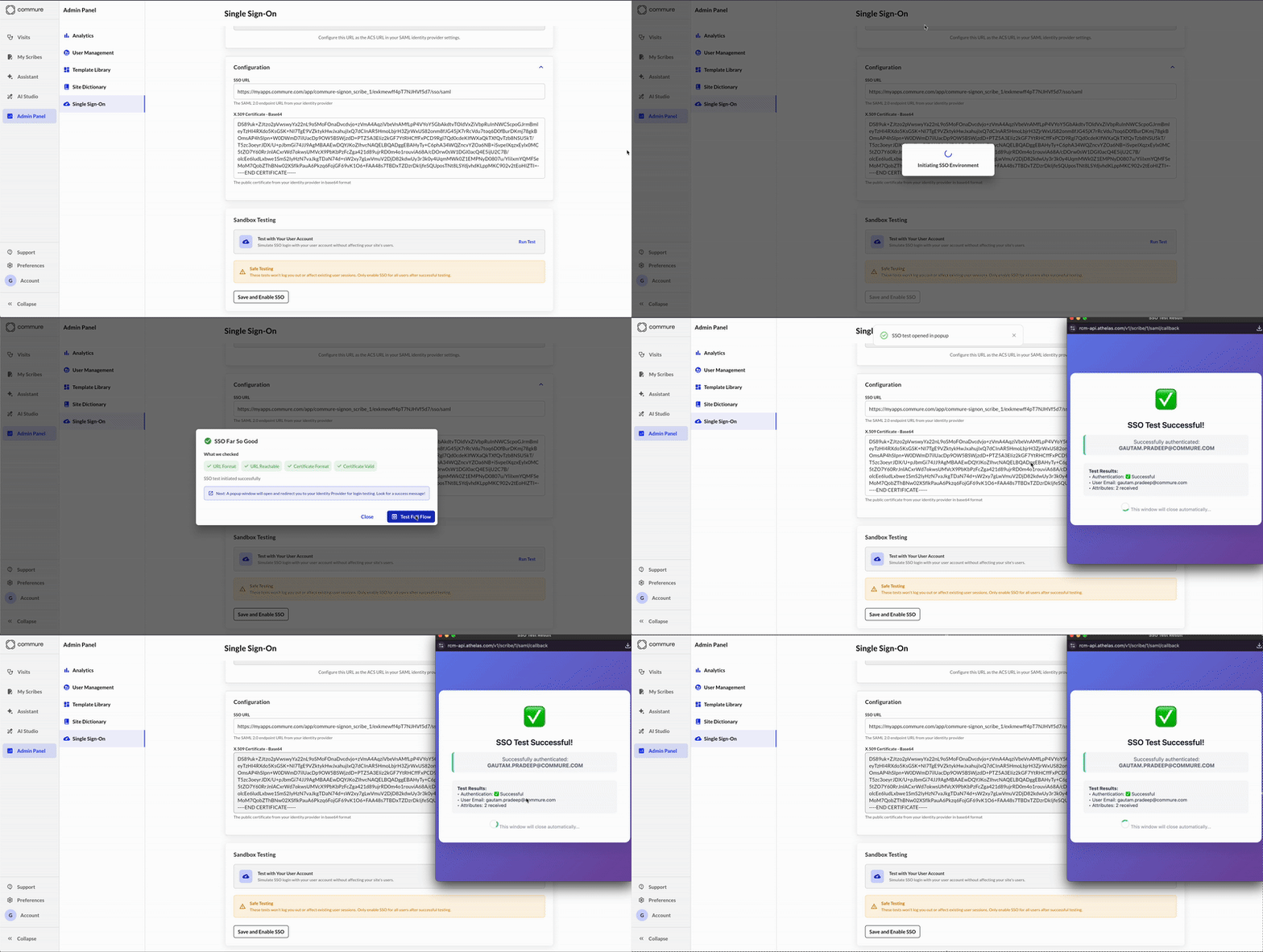
Use the Test with Your User Account button to verify that your SSO configuration is correct.
This is a safe test that will not affect existing user sessions.
- Save and Enable
Once testing succeeds, click Save and Enable SSO to activate SSO for all users on your site.
Required SAML Configuration
Your IdP’s SAML Response must include the following exact attributes names:NameID→ user.userprincipalname (default)email→ user.mail (or whichever attribute your site standardizes against for a user’s email)
Without these attributes, SSO login will fail. Please confirm your IdP is configured to send them.
ACS URL
You will see a copyable text box with the endpoint your IdP will use to send SAML responses.It will look something like this:

Testing and Enabling
- Click Run Test to verify your SSO configuration.
- The test uses your current user account and will not log you out or disrupt other users.
- Once the test succeeds, click Save and Enable SSO to activate it for your entire site.
Tip: Work with your IT team to ensure proper SAML configuration before enabling SSO globally.
Supported Identity Providers
We support any IdP compliant with SAML 2.0, including:- Okta
- Microsoft Entra ID (Azure AD)
- Google Workspace
- Auth0
- OneLogin
Security
- All SAML communications are encrypted in transit using HTTPS.
- Certificates are stored securely and encrypted.
Troubleshooting
- Ensure your IdP is passing in email and NameID exactly as specified above.
- Double-check that your ACS URL matches what’s shown in the Admin Panel. Otherwise, it might silently fail because we can’t even reach your side.
- If testing fails, verify the SSO URL is reachable, formatted correctly, and that the certificate is valid (not expired or malformed).