

Personal Dictionary
The Personal Dictionary enables providers to define custom word mappings through a personal dictionary to improve transcript accuracy, ensure consistent recognition of medical terms and names, and reduce manual note corrections.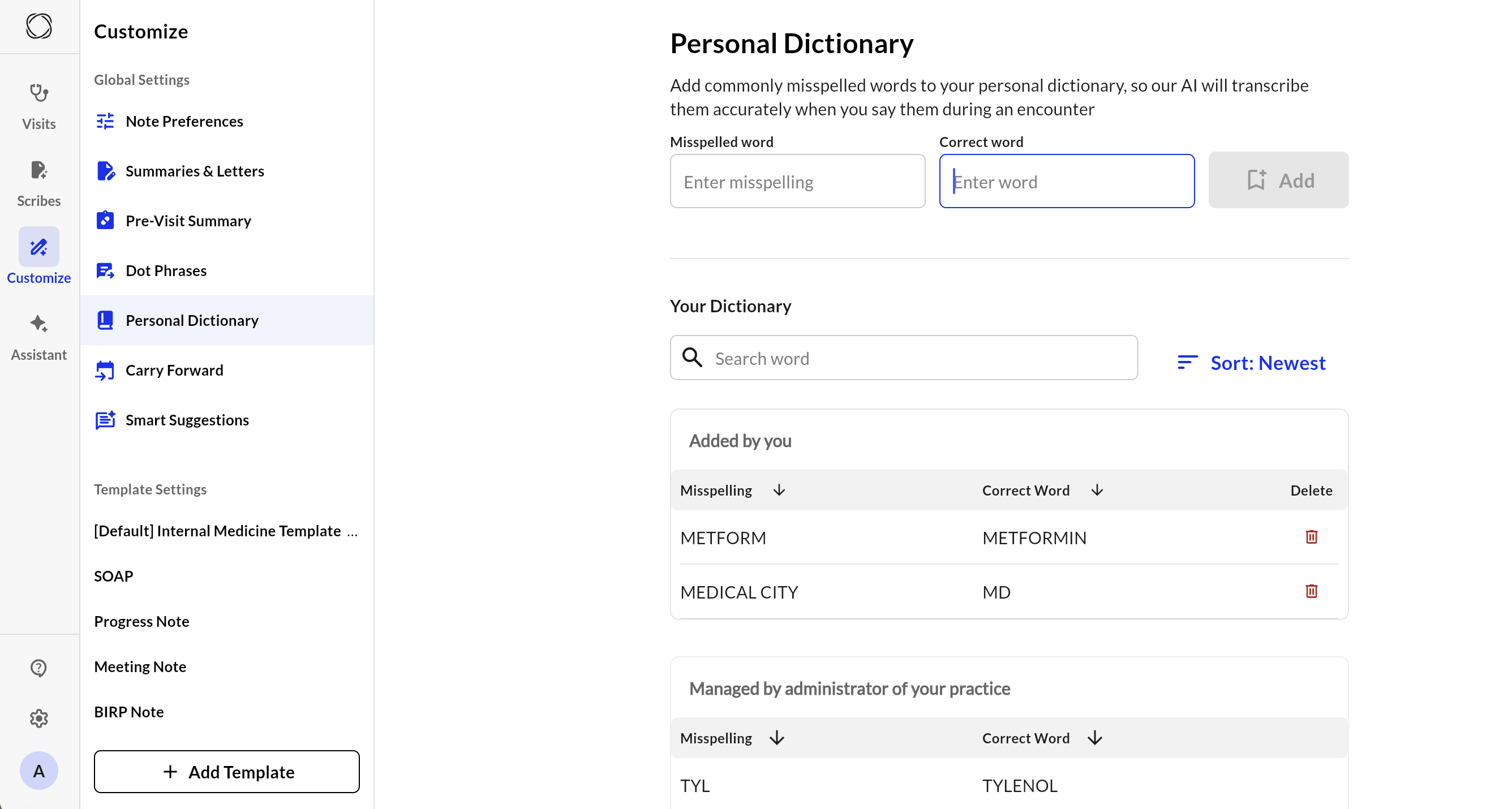
What it Does
By adding terms to your personal dictionary, Ambient will recognize them in the recording and automatically insert the correct spelling or abbreviation into the generated note. Admins can implement both site dictionaries with clear precedence rules:- Site entries override and block personal entries for the same misspelled word
- Providers can manage only their own entries
- Admins can create, view, and delete entries that apply across the site
- Medication names
- Acronyms
- Abbreviations
- Unique names (providers, places, etc.)
How to Set it Up
Provider Level:- Navigate to the Customize and select Personal Dictionary.
- Add new entry by entering in the misspelled word and the correct spelling of the word across from it.
- The Add button to the right of the entry will turn black and you can press it to save the entry, and will now auto-apply in transcriptions from that point forward.
- To delete an entry, press the red trash can icon across from the entry you wish to remove.
Admin Level:
A two-tier dictionary system allows site admins to create site-wide word correction mappings, while individual providers can maintain their own personal correction mappings. Site dictionary entries take precedence and prevent users from creating conflicting personal entries.
- Admins navigate to the Customize and select Site Dictionary.
- Create site-wide correction entry by entering in the misspelled word, then the correct spelling of the word across from it, and the correction type. Admin level additions will present as read-only for all site users.
- Admins can delete to deactivate entries by pressing the red trash can icon across from the entry wished to be removed, thus re-enabling personal corrections.
.png?fit=max&auto=format&n=T7qoPyoDhFoASLBb&q=85&s=09791baa2aa8a010c2f395f415d57a32)
Benefits
- Increasing provider efficiency through reducing repetitive editing, saving minutes per note.
- Improves accuracy and reduces frustration.
- Site-level terminology enforced automatically. Site admins can create dictionary entries that benefit the entire site, without requiring individual provider effort.
- Personal dictionary continues improving note quality.