

Hide Jan 19 - New Features
Hide Jan 19 - New Features
Assistant Note Editing
.gif?s=8bebd5fcdc3f482938baa4f6f622789d)
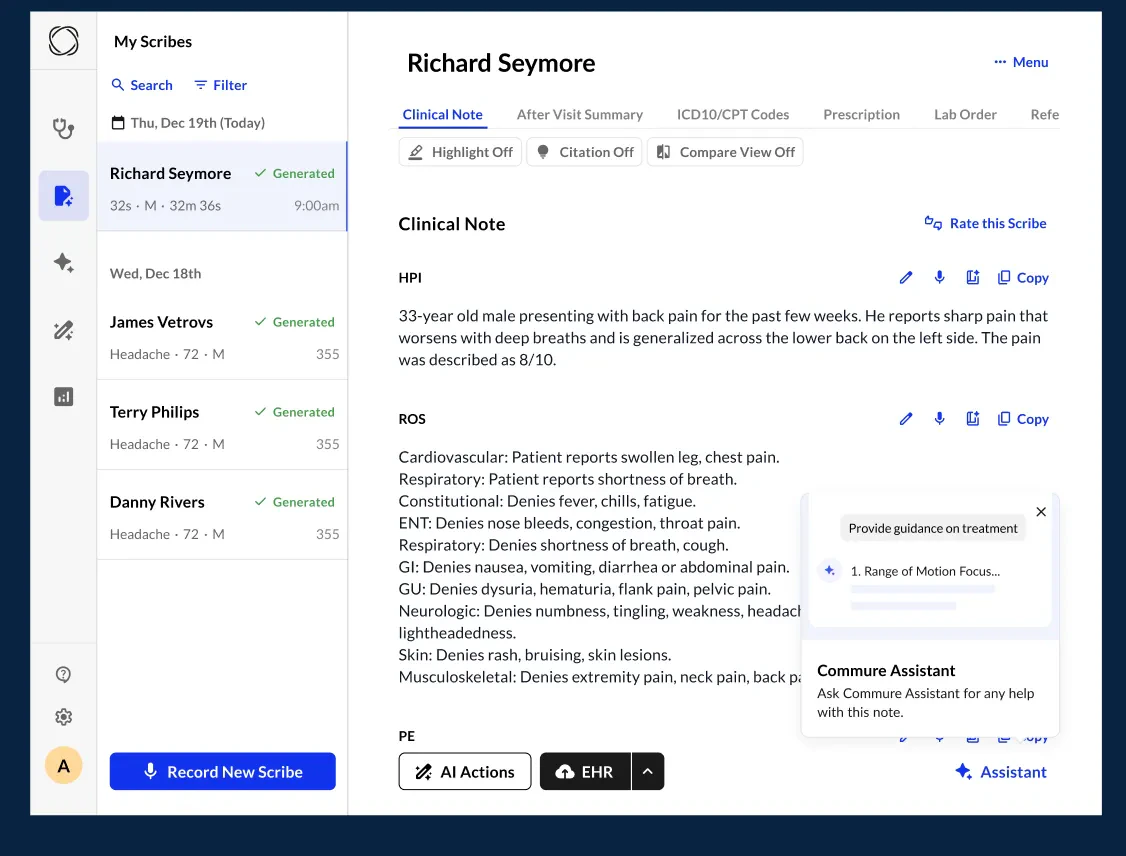
Assistant Nudge Popup
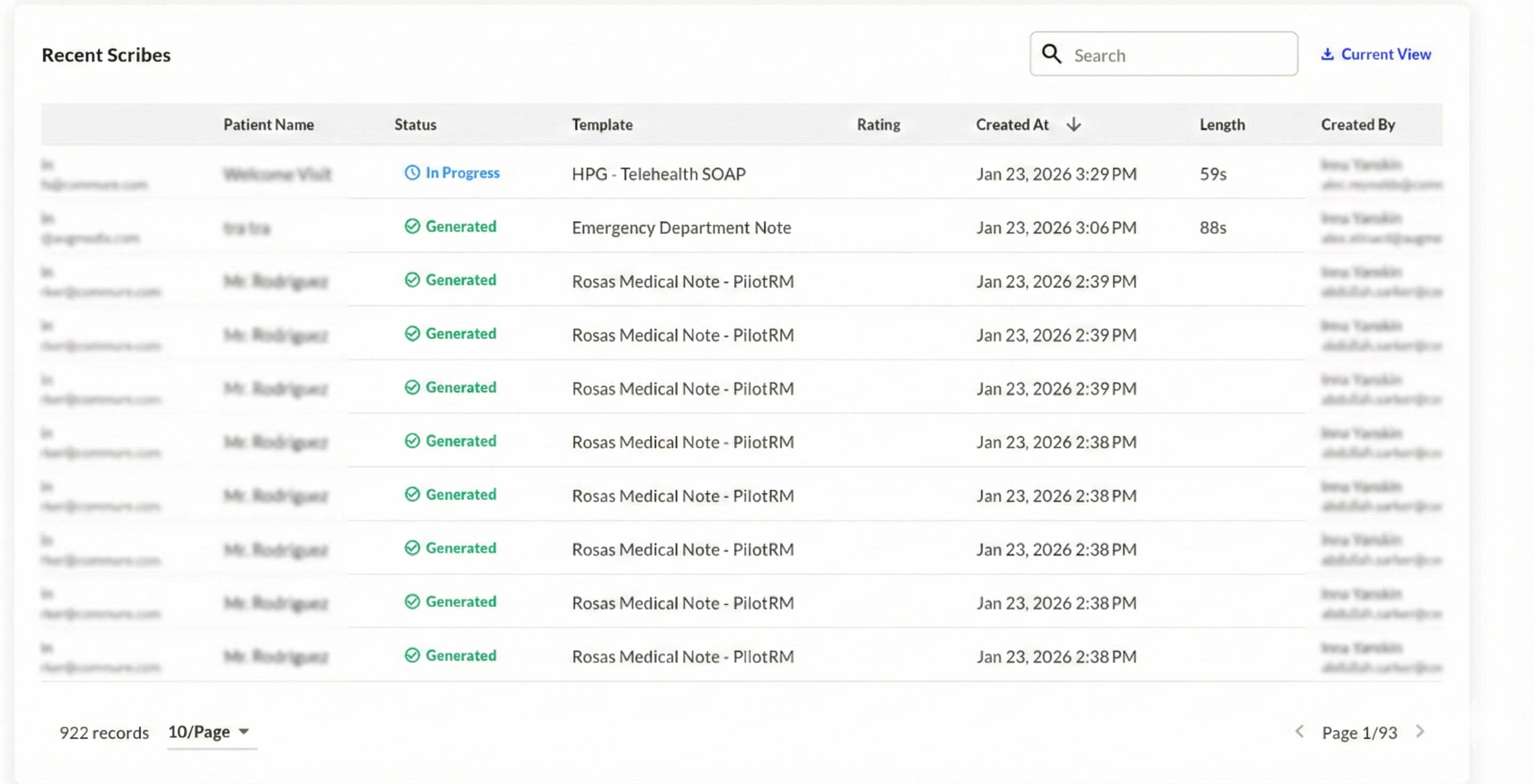
Export Admin Panel Full Data
Show Jan 5 - New Features
Show Jan 5 - New Features
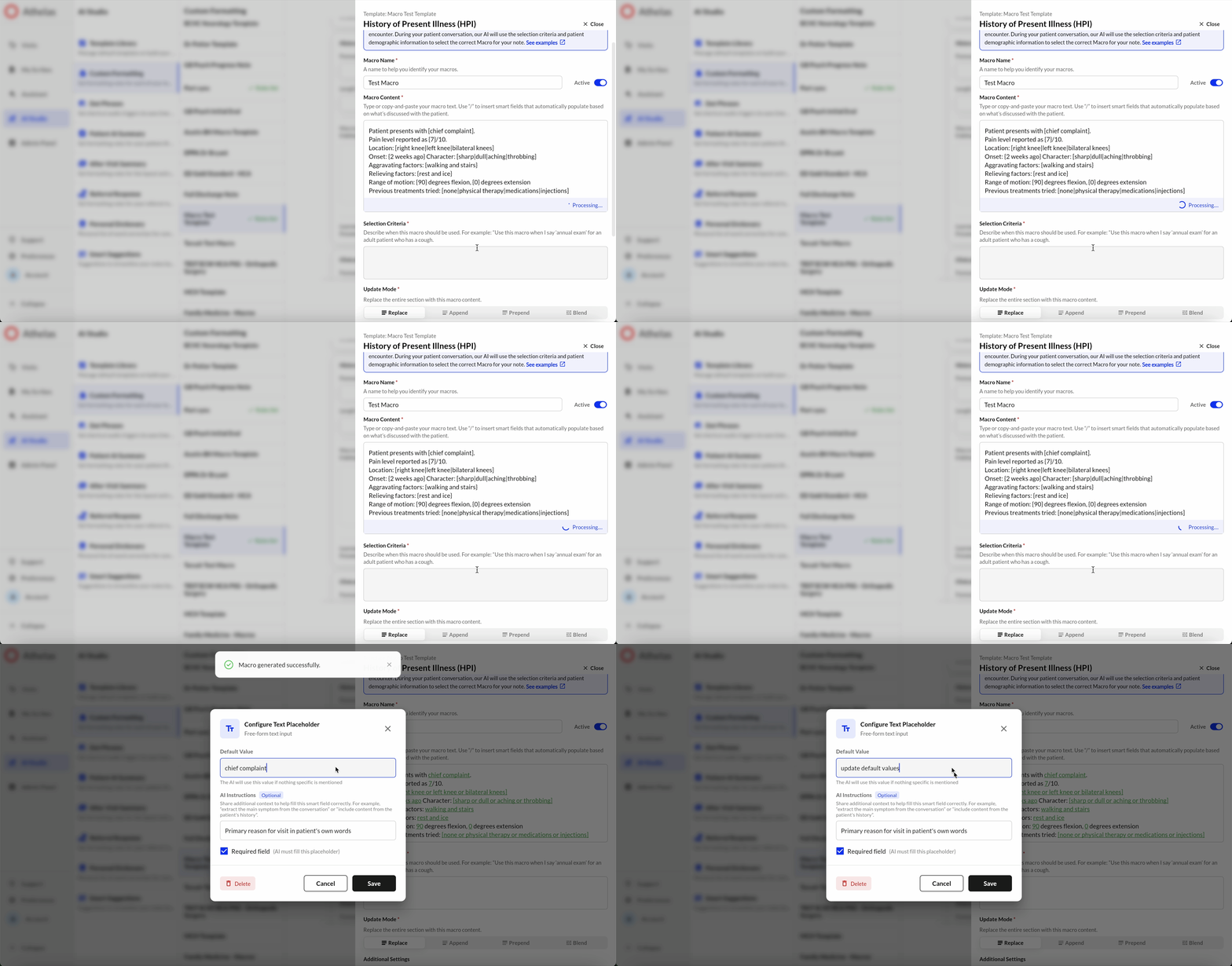
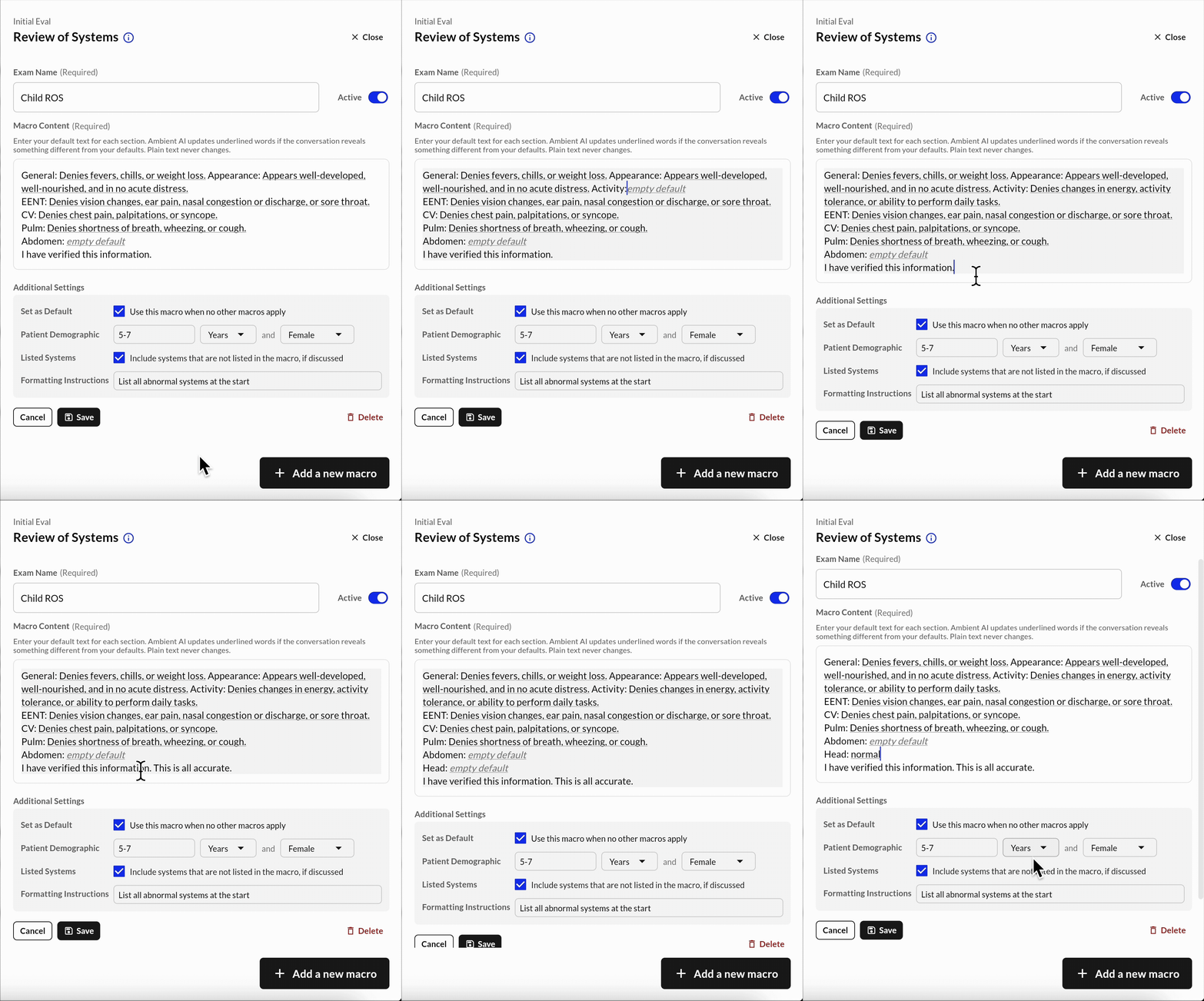
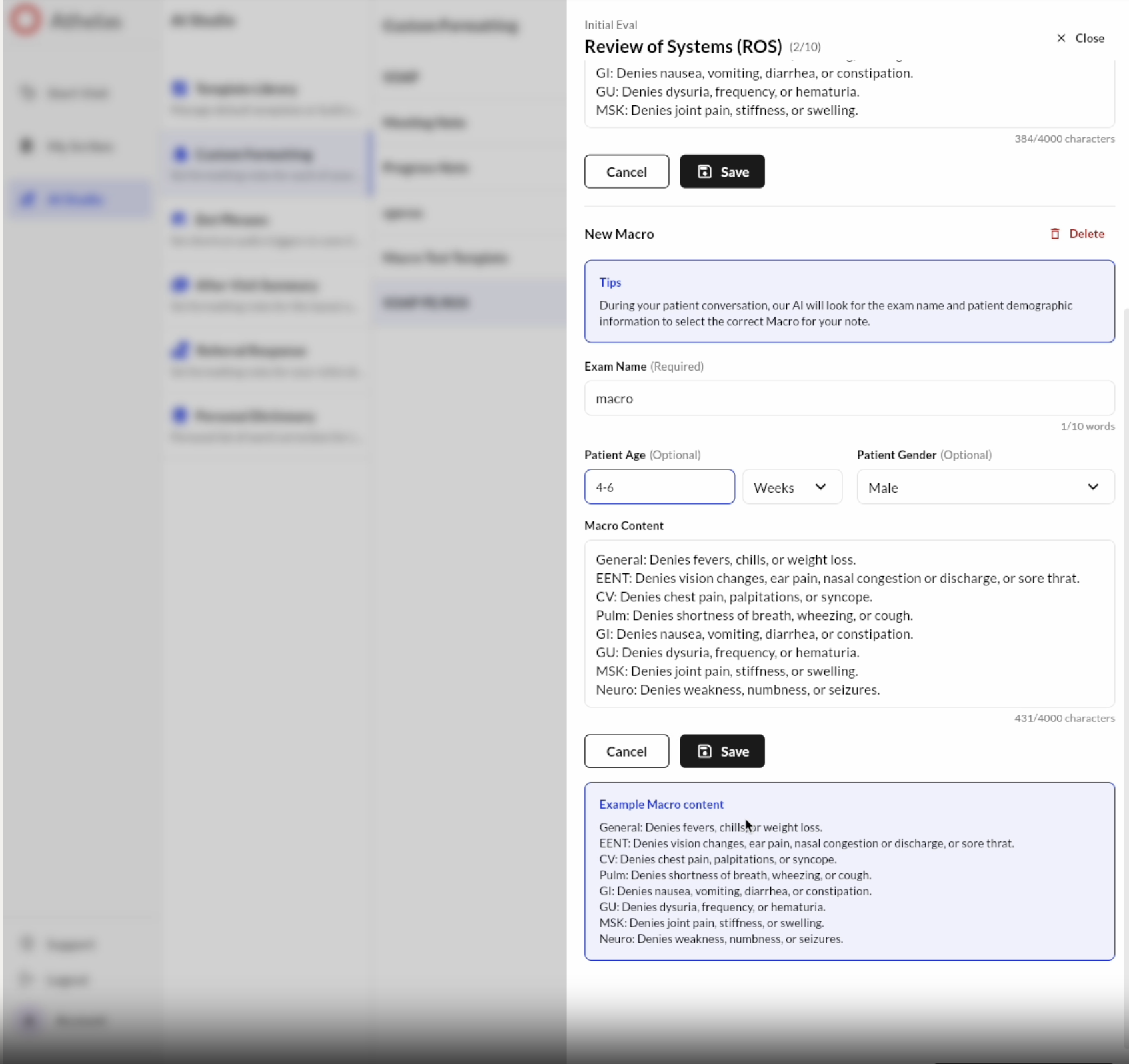
Macros UI Revamp
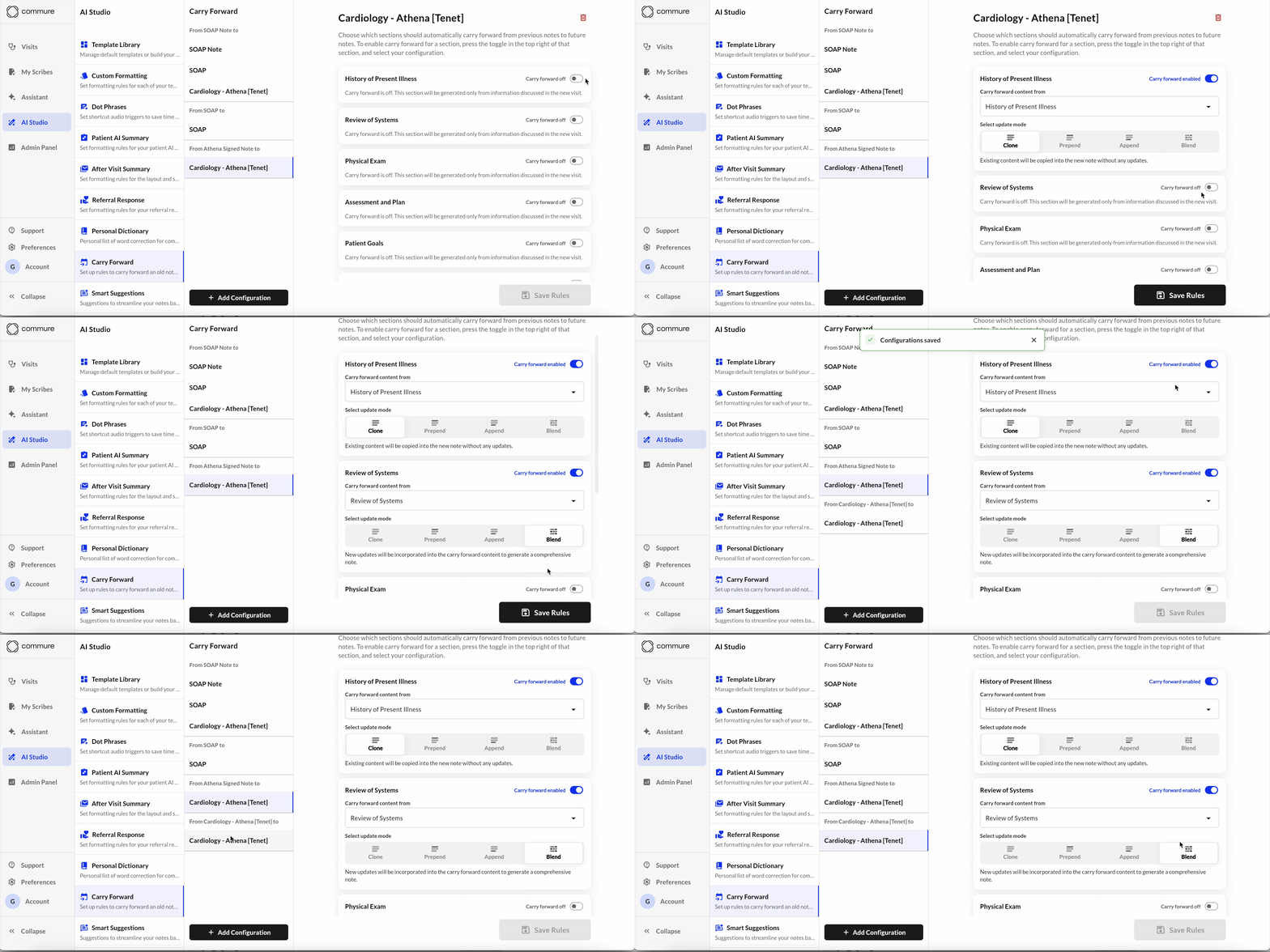
Show Jan 5 - Improvements
Show Jan 5 - Improvements
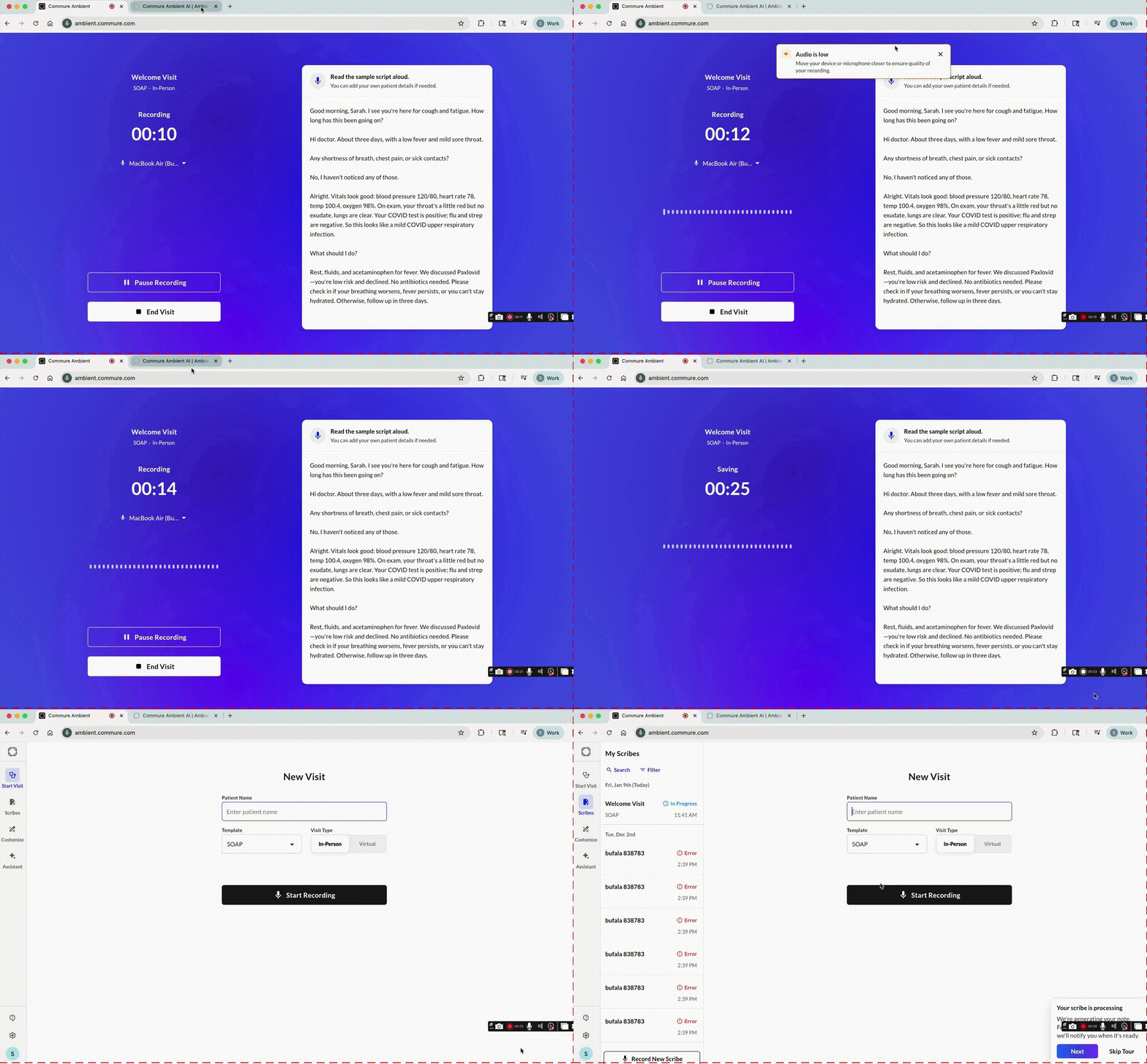
Show 12/1/2025 - New Features
Show 12/1/2025 - New Features
Navigation Update
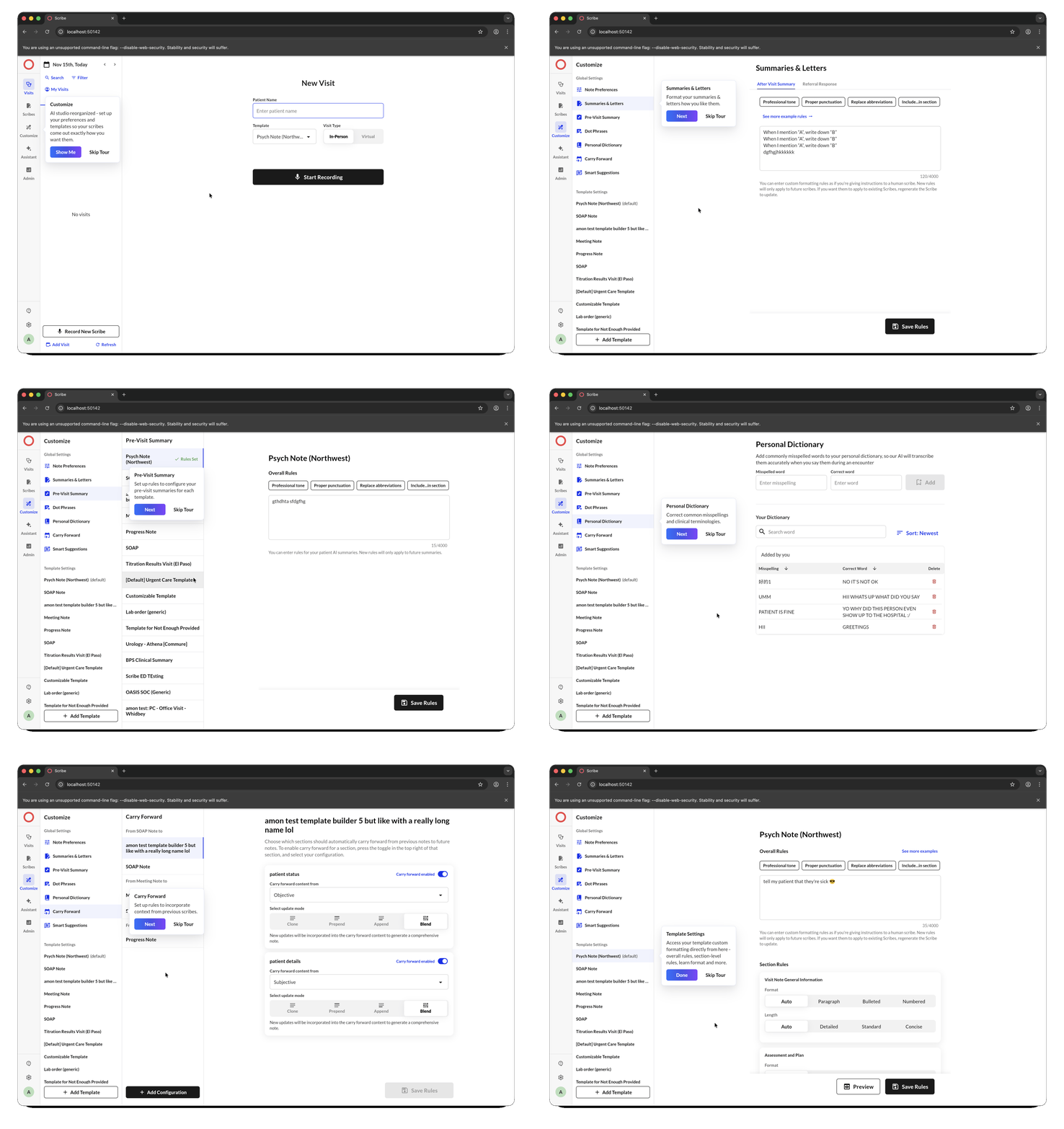
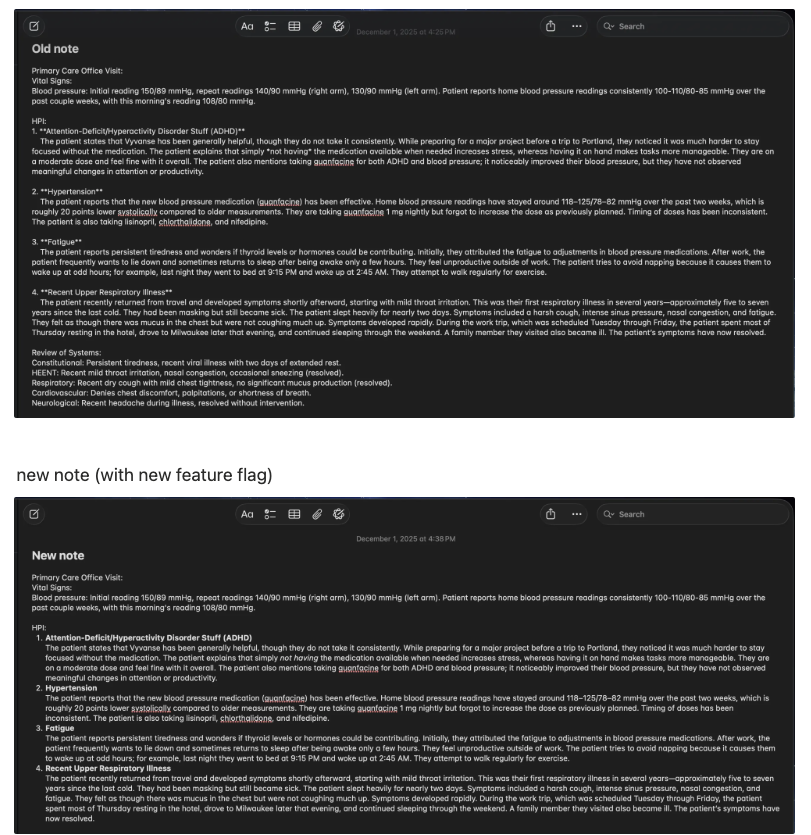
Ordering Dropdown
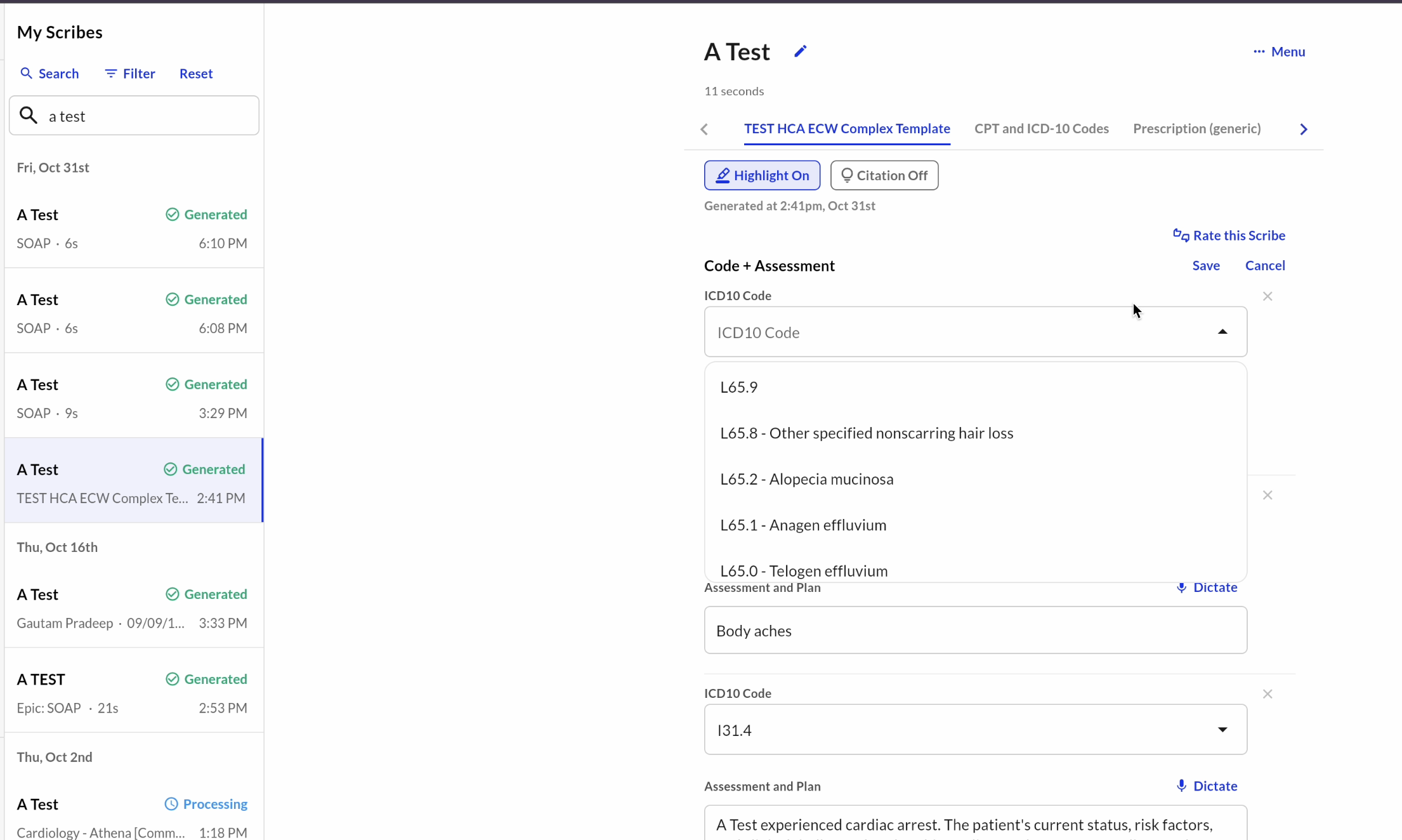
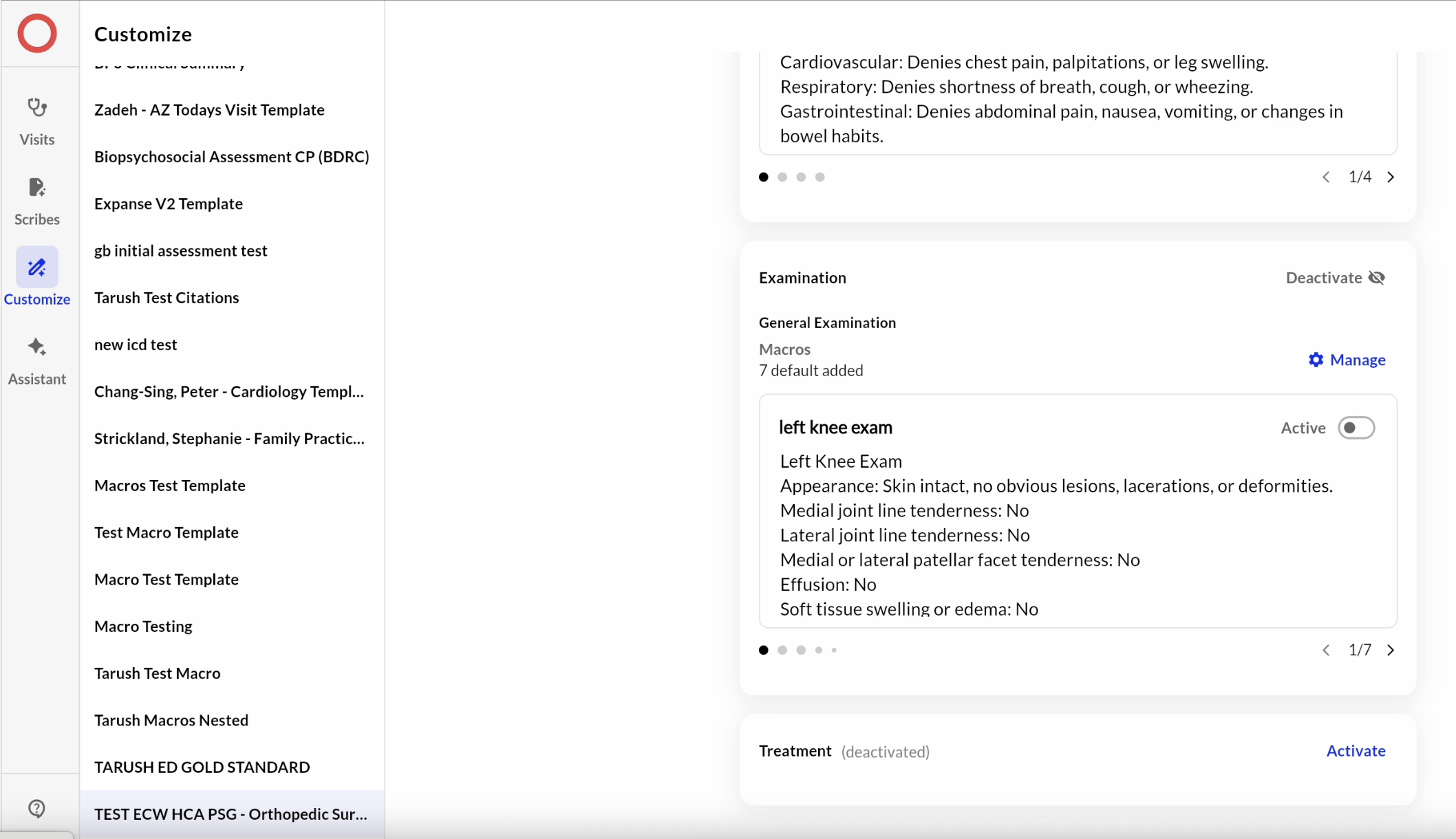
Disable Section Generation
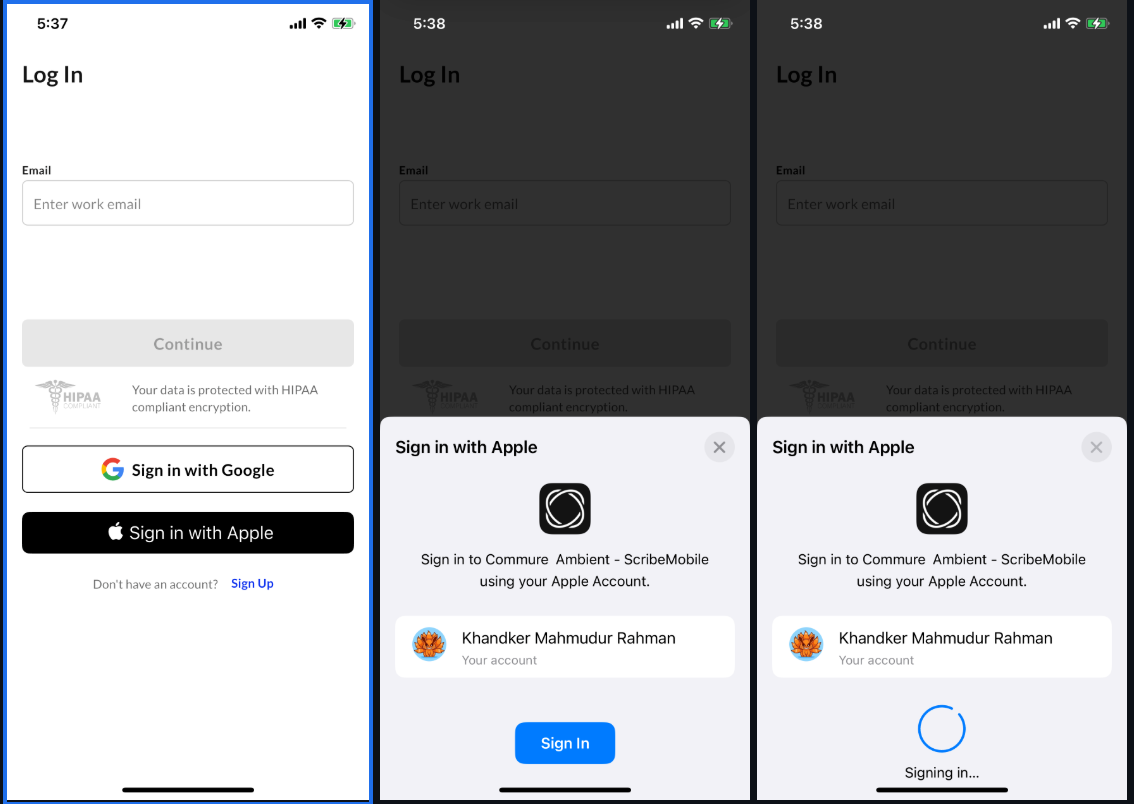
Face ID as Alternative to Pin
.png?fit=max&auto=format&n=50da_DADNqFwegfh&q=85&s=6828c0f489b3a66050b3516c9d066d93)
Show 12/1/2025 - Iterations
Show 12/1/2025 - Iterations
.png?fit=max&auto=format&n=SXO_SlvAZf65II1b&q=85&s=1a4f291448ce6419299fe75dca96012f)
.png?fit=max&auto=format&n=F7WsZQ28En5sqYd3&q=85&s=cdc9e05d1e183357baa8e3153c0a1185)
Show 11/17/2025 - New Features
Show 11/17/2025 - New Features
Show 11/17/2025 - Macros Iterations
Show 11/17/2025 - Macros Iterations
Macros Iterations
- Toggling: providers can activate or de-activate macros. This allows our ops partners to set up macros at scale, and ensure that macros only apply to visits when each provider is ready.
- Subsections: Providers can now add multiple subsections under a specific section.
- Include additional systems: If enabled, macro content will include additional systems that were discussed but not explicitly listed in the macro.
- Static + dynamic content: Providers can add both dynamic (after a colon) and static content to a macro.
- Incorporating additional sections: Macros can appear under templates with nested sections
- Multiple macros: Multiple macros can trigger for one section, where macro priority can be set through retool.
-
Help icon: By clicking the help icon next to the name at the top, providers are navigated to our online help center.
Show 11/17/2025 - Quality of Life
Show 11/17/2025 - Quality of Life
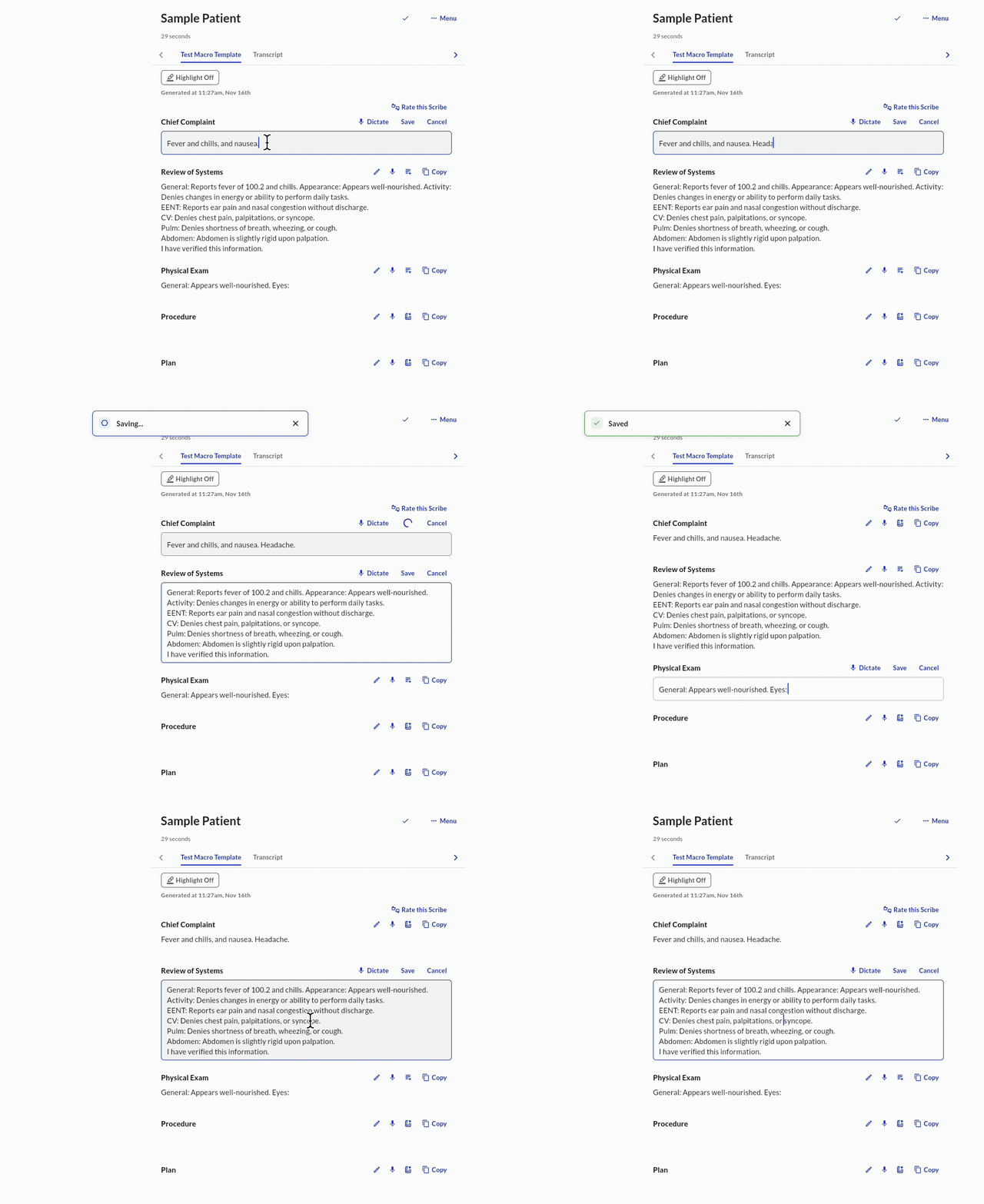
Enhanced editing
- Auto-focus: Tap directly on any text content to enter edit mode with the cursor positioned at the exact tap location, without needing to click edit.
- Auto-save: Automatically saves changes when tapping outside fields and properly handles nested template fields with tap-to-edit functionality. This eliminates the requirement of using explicit save buttons for individual fields, creating a more intuitive, document-like editing experience.
-
Tab: Providers can skip through sections by clicking the “tab” key, increasing speed.
.png?fit=max&auto=format&n=UGY2XWeRueATysx-&q=85&s=9cb12907b7e88ed4c75657b7b28362aa)
Show 11/03/2025 - New Features
Show 11/03/2025 - New Features
Onboarding Tour
.gif?s=7255d08c740767c5f064aaed8e9d93a4)
.gif?s=f35461199664296ab8cab4f1f8310ef5)
Show 11/03/2025 - Feature Iterations
Show 11/03/2025 - Feature Iterations
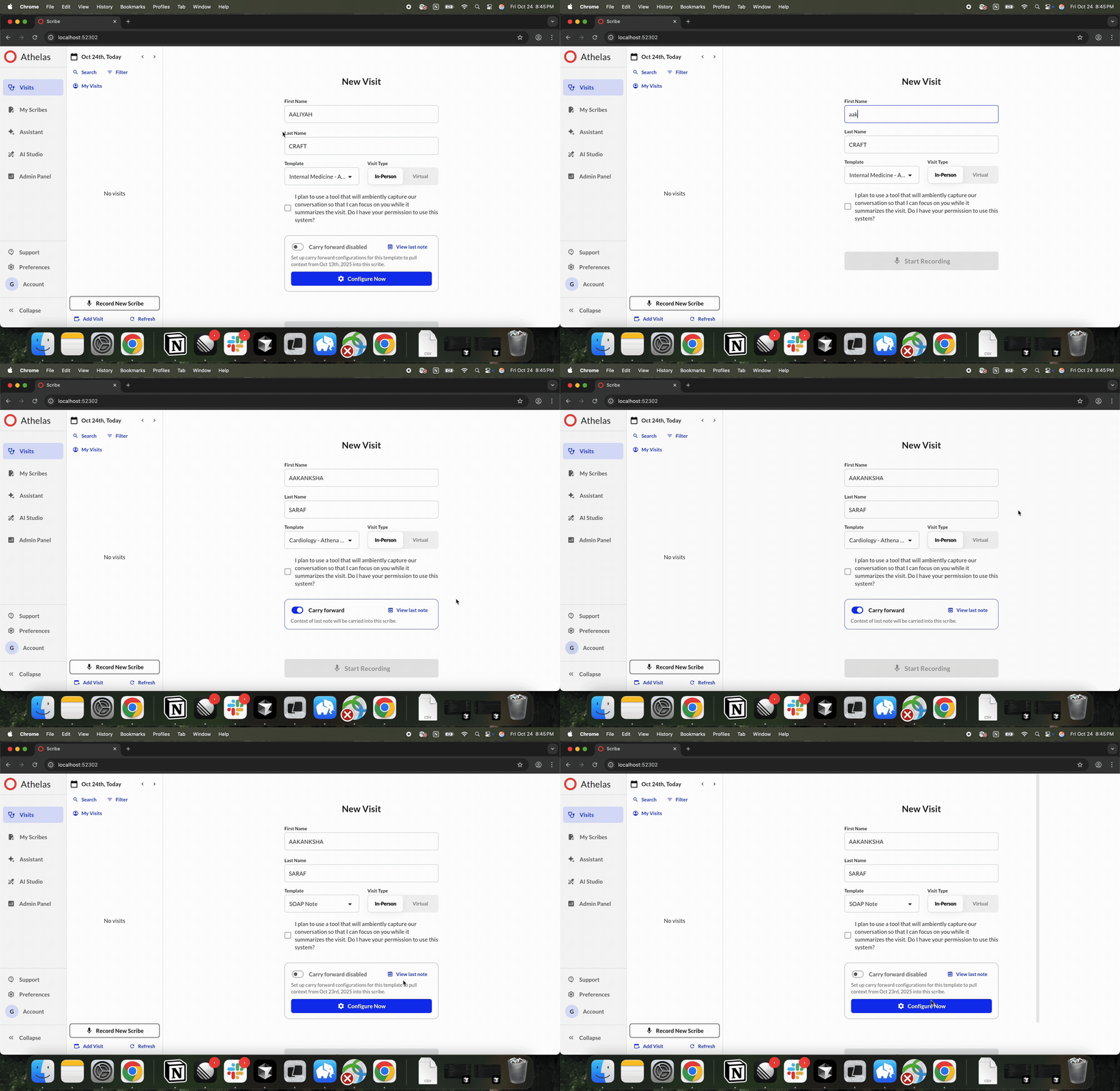
Carry Forward Iterations
Commure Assistant Iterations
.png?fit=max&auto=format&n=bsZE3HQ-sTfPnSQ0&q=85&s=18a8af39f3557201404f679b666b8bca)
Show 11/3/2025 - Quality of Life
Show 11/3/2025 - Quality of Life
.png?fit=max&auto=format&n=eu-vQfHe_w1aA-AJ&q=85&s=4c6b770f011100bc7766fba9fdae50fb)
Show 10/27/2025 - Feature Iterations
Show 10/27/2025 - Feature Iterations
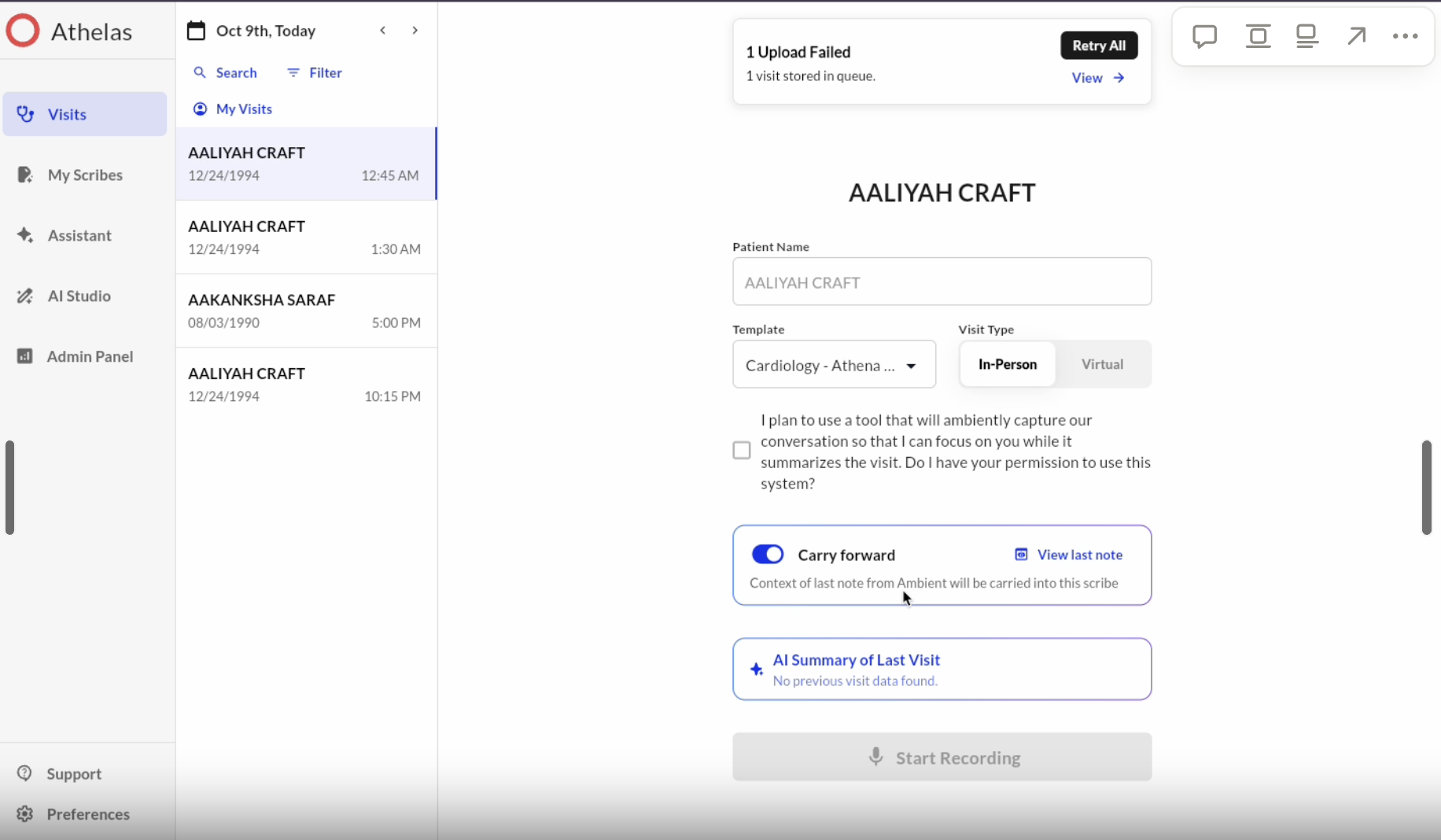
Carry Forward Iterations
- Collaborator view: Collaborators can now access and enable Carry Forward for their provider.
- Scribe fallback: If a signed note isn’t available, we use the last scribe-generated note.
-
Discovery: Added an educational popup for providers who haven’t yet set up Carry Forward.
Macros Iterations
-
Discovery: One-time popup routes users to macro configuration after completing a macro-enabled scribe.
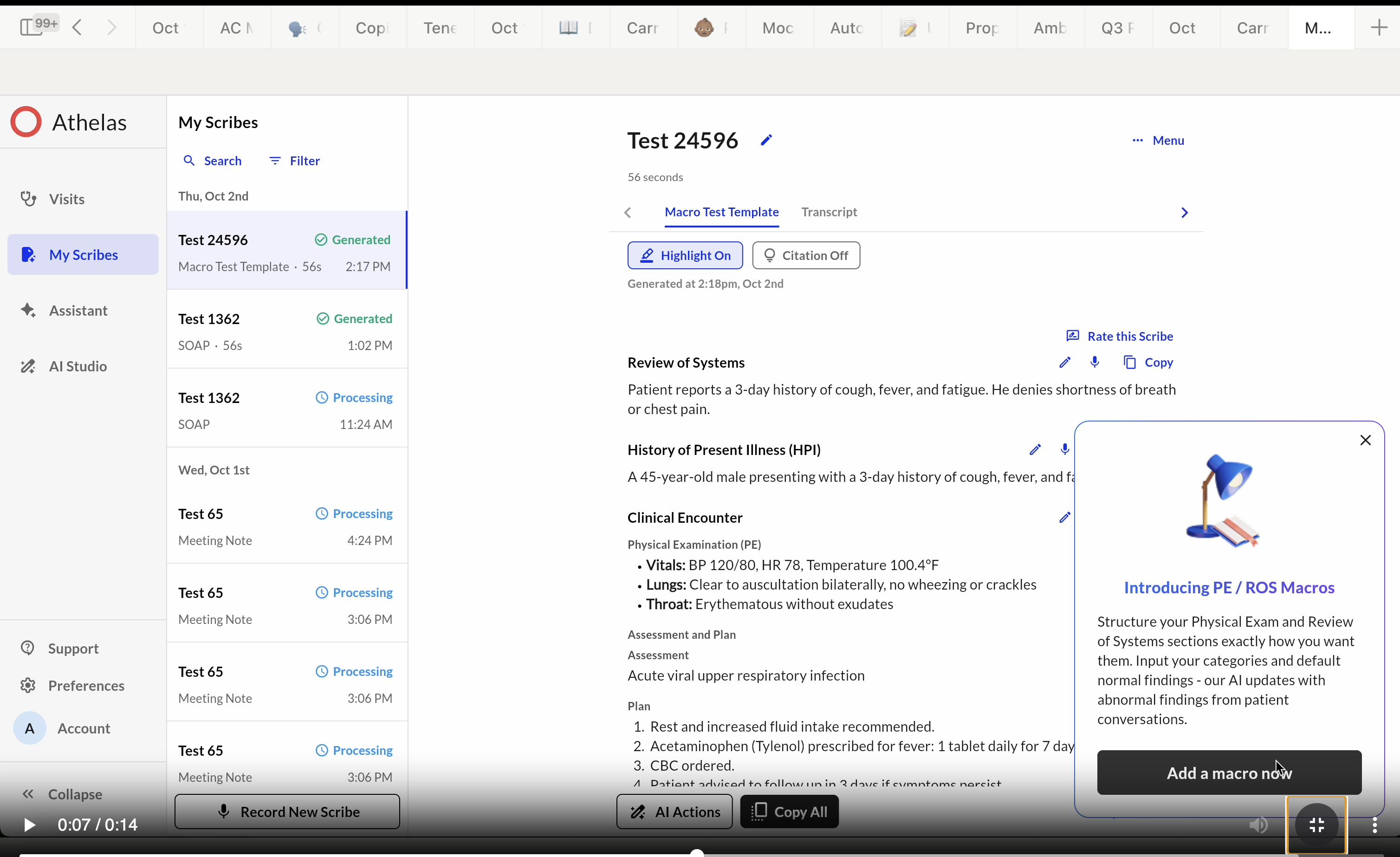
- Default Macros: New toggle lets users apply a default macro if no other macro matches the criteria.
-
Formatting Controls: Users can now configure order, capitalization, and content type for dynamic macro output.
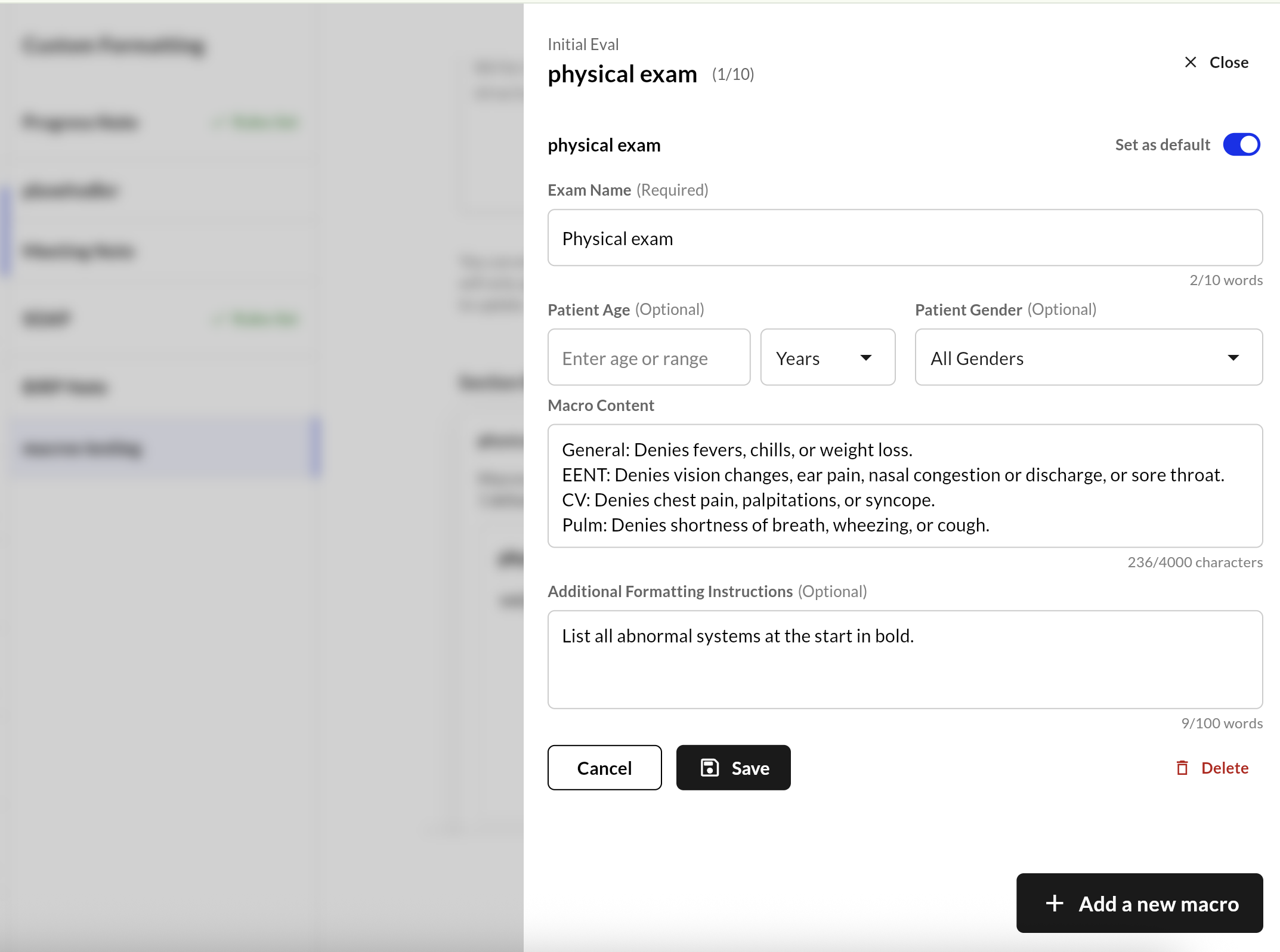
MDS Messaging Iterations
- Indicate when MDS is typing
- Show loader when facing lag with pulling the old messaging conversation
-
Indicate when messaging is no longer allowed
.png?fit=max&auto=format&n=7wrmiTTo6uoPf8un&q=85&s=a286289e209f5750037e57c55dcc5aff)
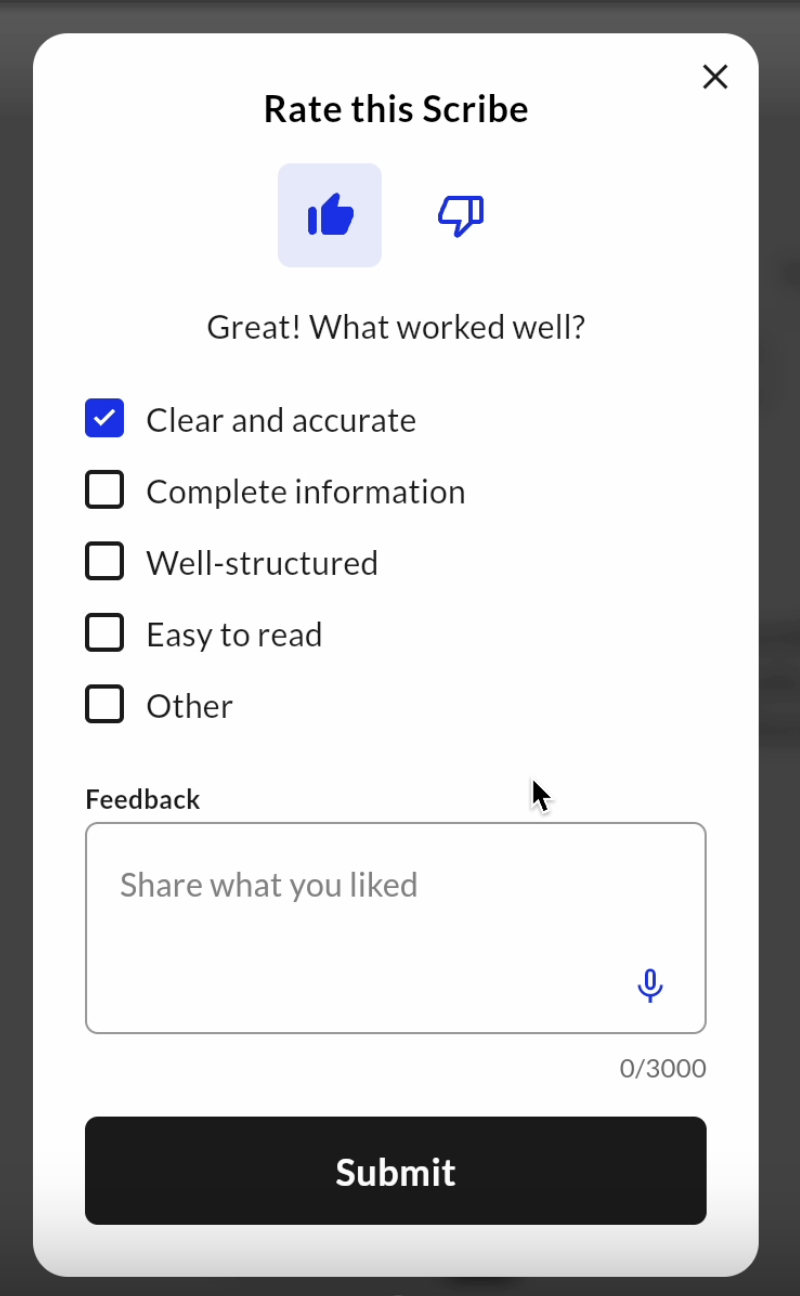
Show 10/27/2025 - Quality of Life
Show 10/27/2025 - Quality of Life
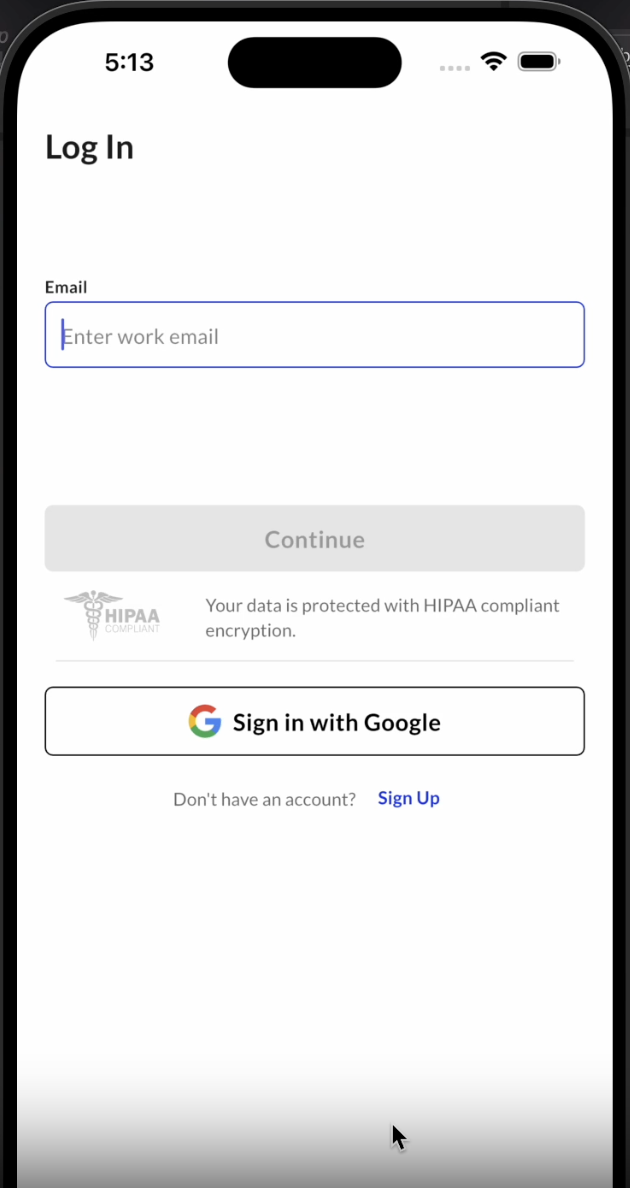
Google Authenticator on Mobile
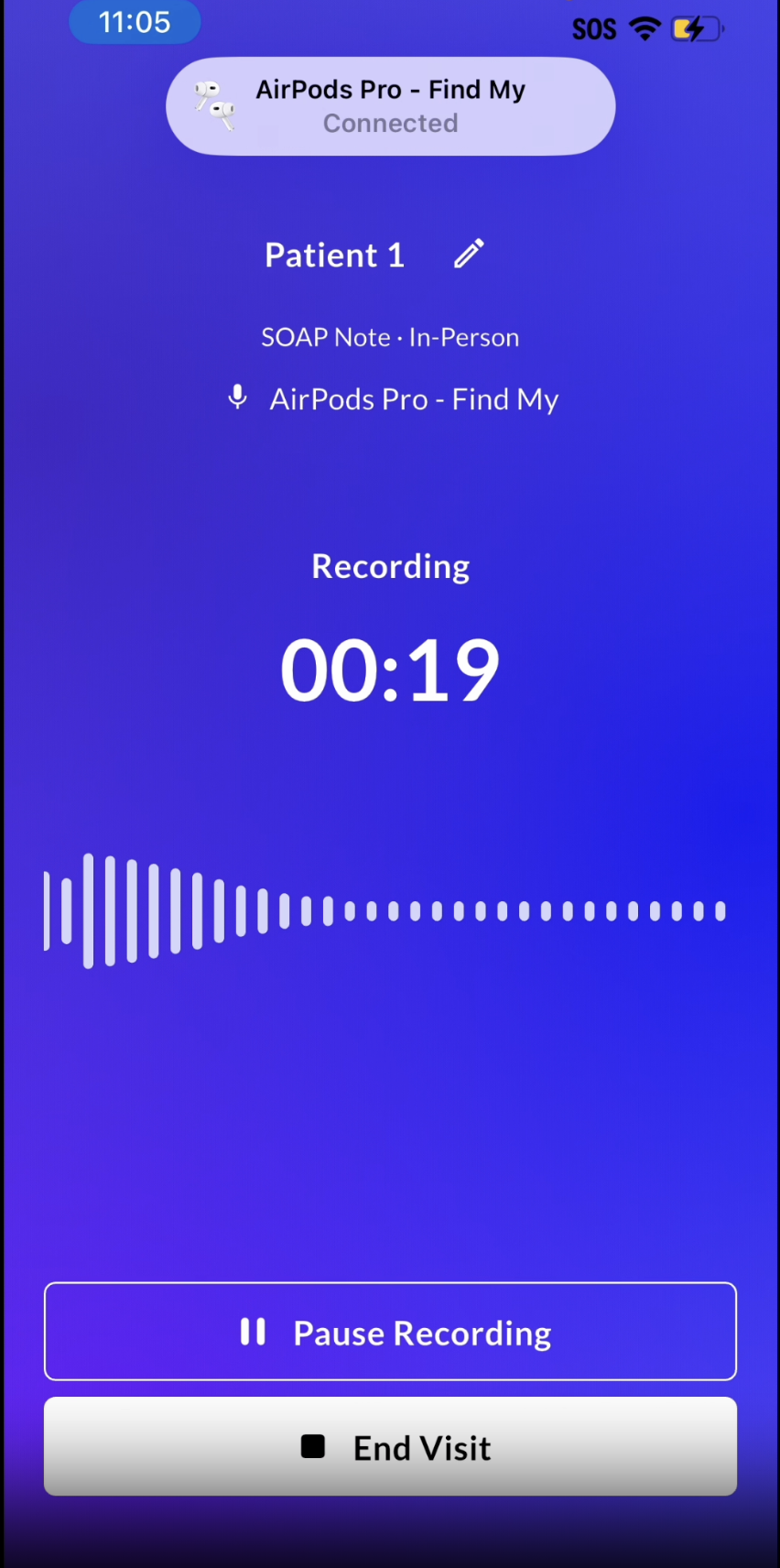
Bluetooth Microphone on Mobile
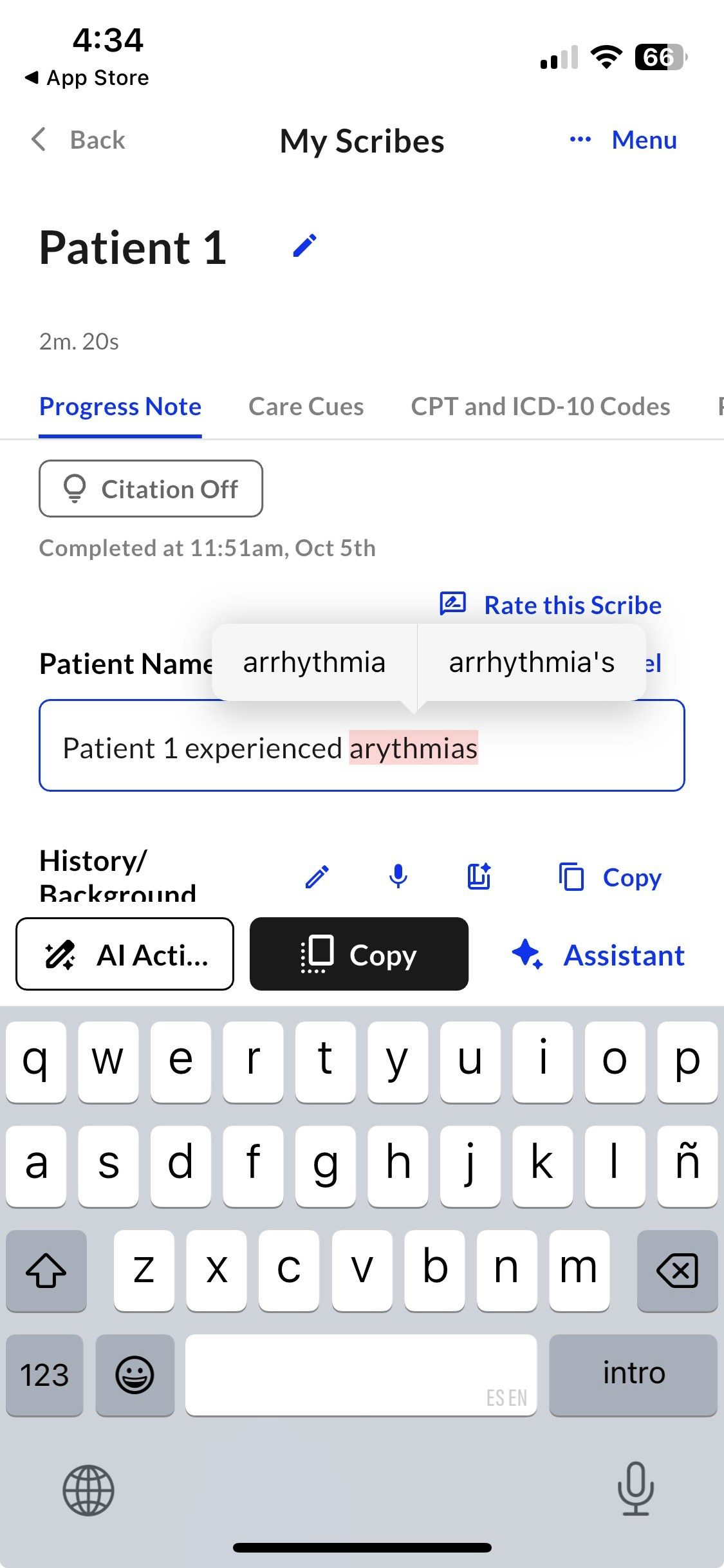
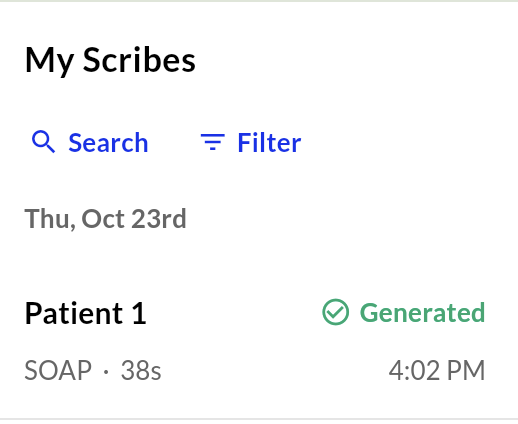
Patient Name A-Z sorting
.png?fit=max&auto=format&n=7wrmiTTo6uoPf8un&q=85&s=9cb99810f86b7f162c05e4e0e23e5497)
Hide 10/07/2025
Hide 10/07/2025
Assist Messaging
.png?fit=max&auto=format&n=owCnohJVkuRO_5y5&q=85&s=47903ac5663151c56011ac90144101df)
- Direct, in-workflow communication with MDS without needing to go through Customer Success or Support
Lifecycle Engagement Notifications
- Two push notifications: providers who haven’t recently engaged (especially EHR-integrated ones who have upcoming appointments)
- Three email notifications: welcome email, first scribe email, nudge email after no activity
- Increase touchpoints with providers to increase usage and delight among new users
- Decrease churn for providers who forget to integrate Ambient into busy schedules
Site Level Dictionary
- Site admins can create dictionary entries that benefit the entire site, without requiring individual provider effort.
- Personal dictionary continues improving note quality.
Real-time AI Summary Generation
- Integrate pre-visit summary into existing workflows, instead of requiring extra steps for enablement. Previously, providers had to add appointments the day before in order to have a summary available.
Site-Specific Patient Consent
.png?fit=max&auto=format&n=KxfLBKEMHq-tgodh&q=85&s=ceeae68ab17228628aa3db2666fe5e1e)
.png?fit=max&auto=format&n=KxfLBKEMHq-tgodh&q=85&s=92d92816872d8b00b33e71909f90698c)
Show 09/22/2025
Show 09/22/2025
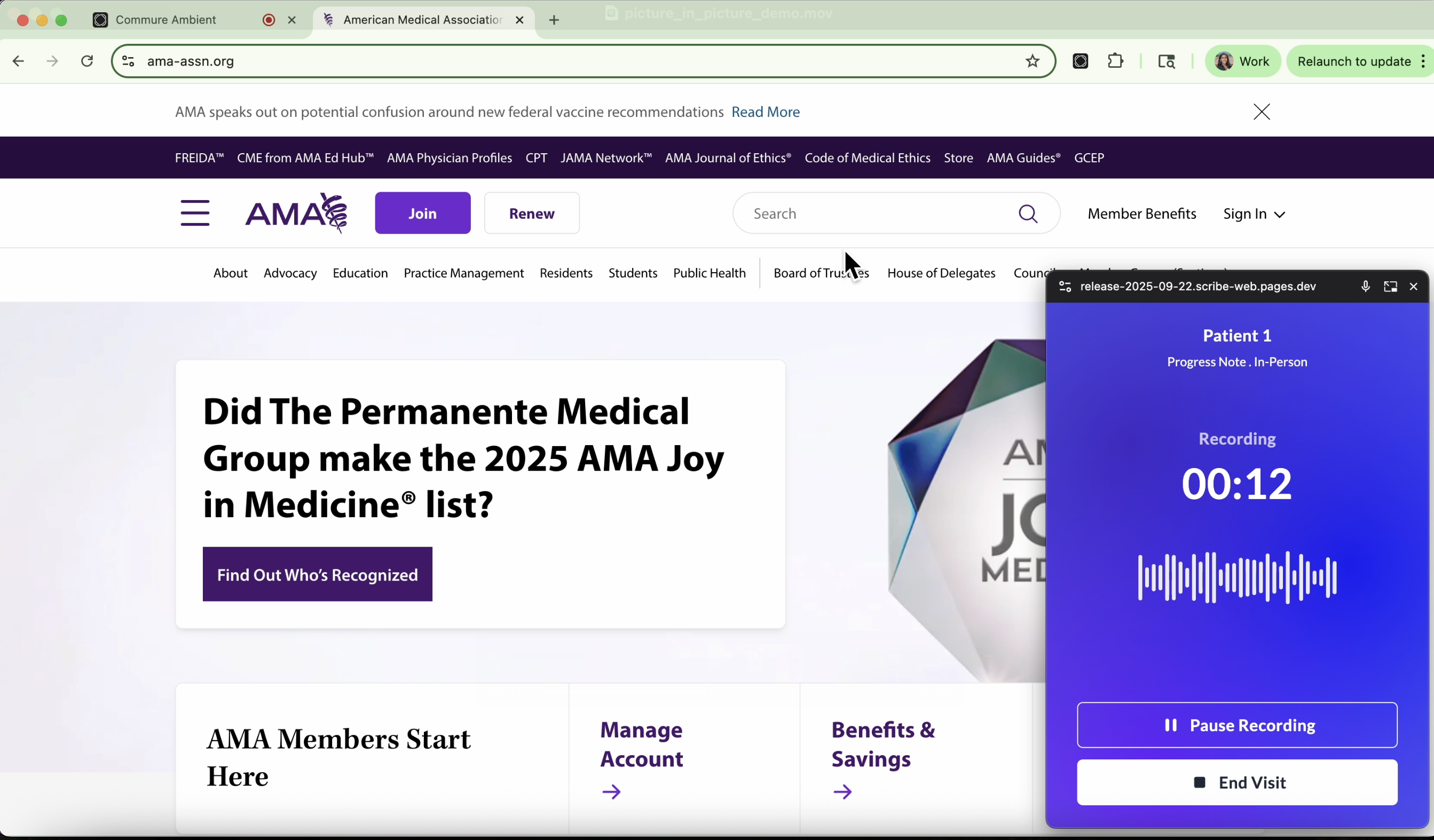
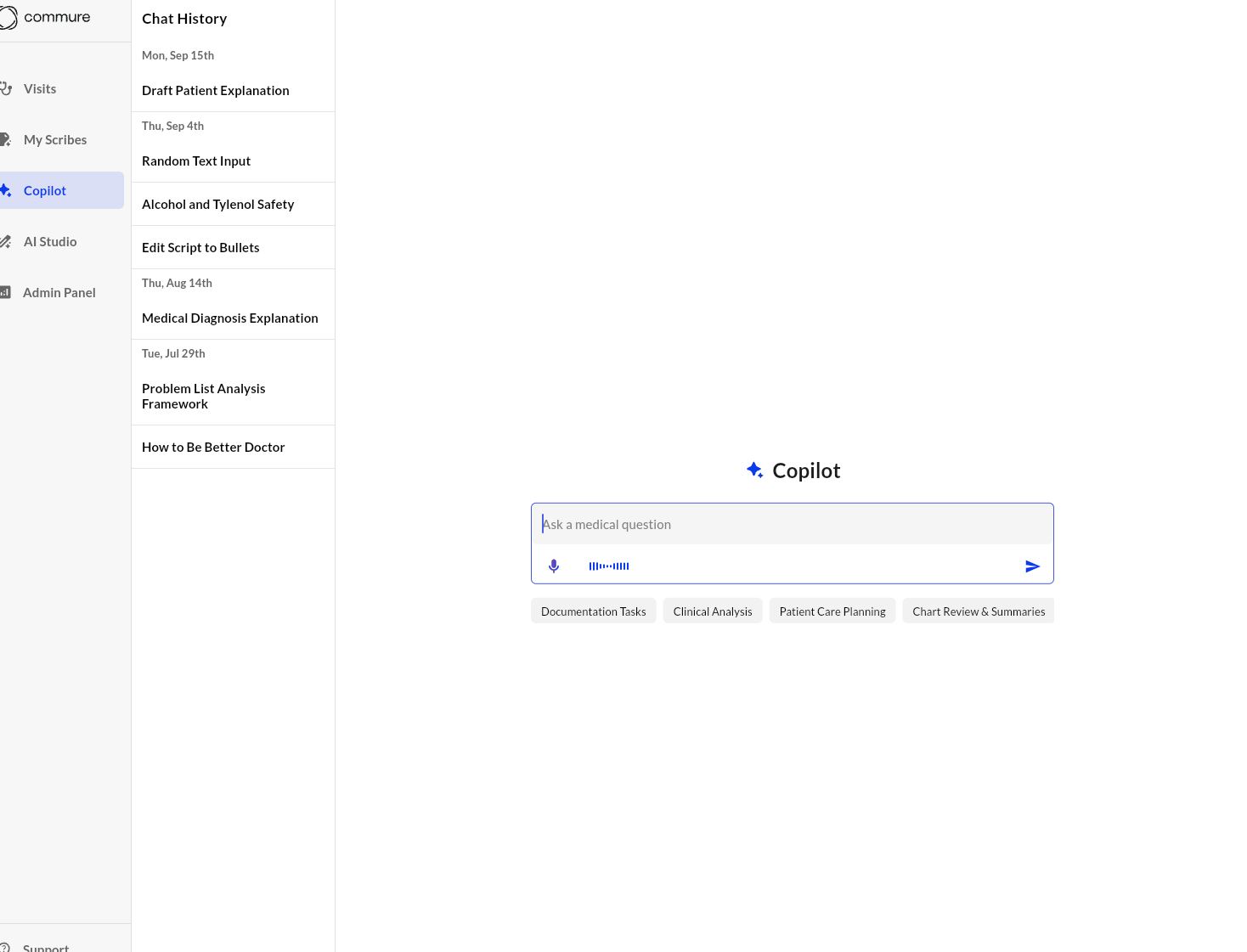
Picture-in-Picture
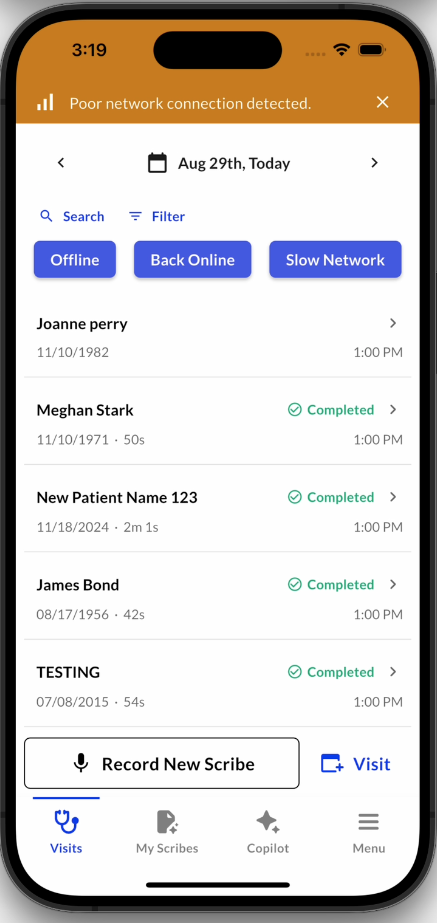
Network Connection
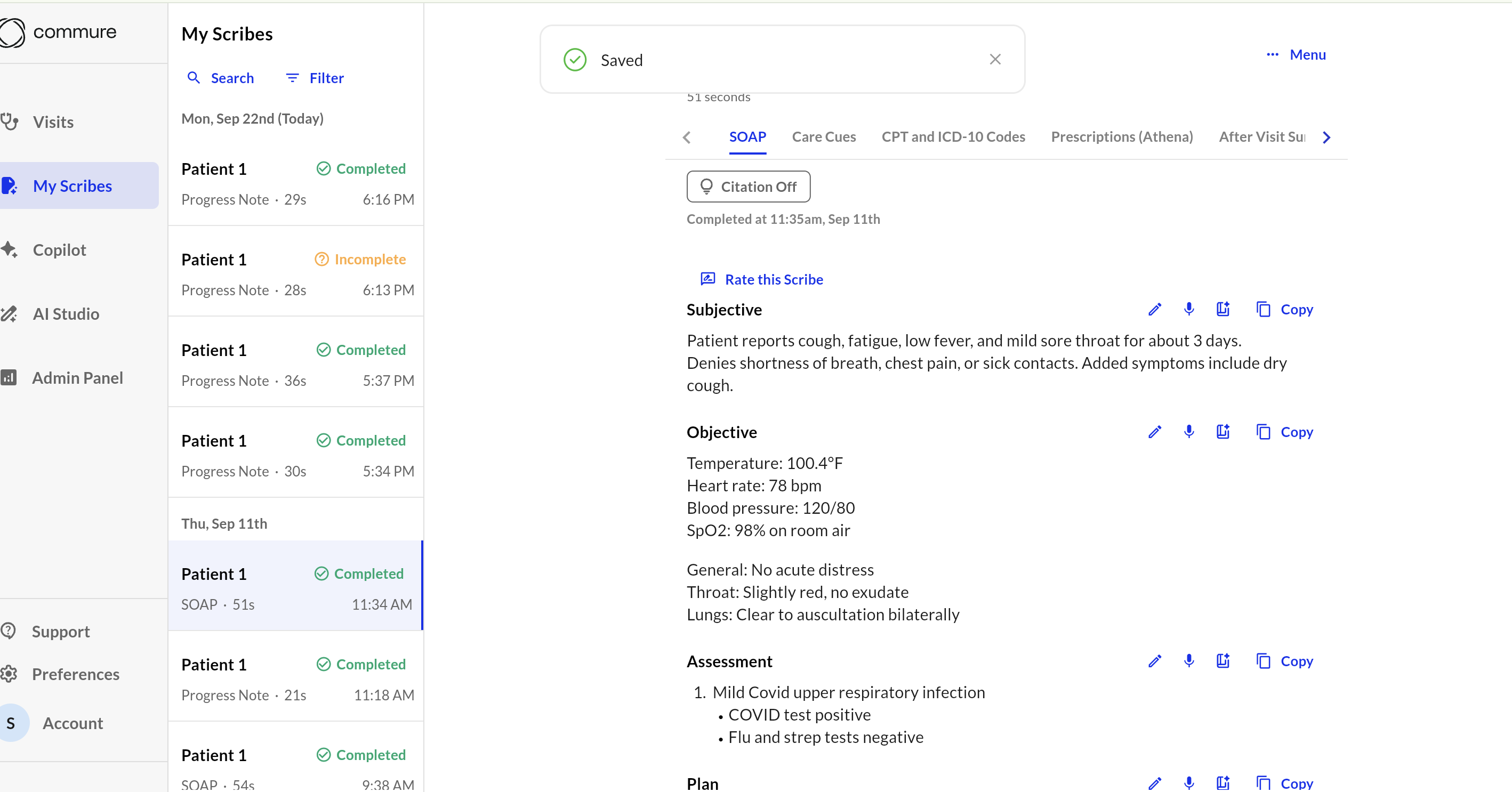
Unseen Patients Filter on Visits
.png?fit=max&auto=format&n=yTSw7pHIk_-MVKoX&q=85&s=0ebe60504ac5770556d66eeca40b541c)
Show 09/08/2025
Show 09/08/2025
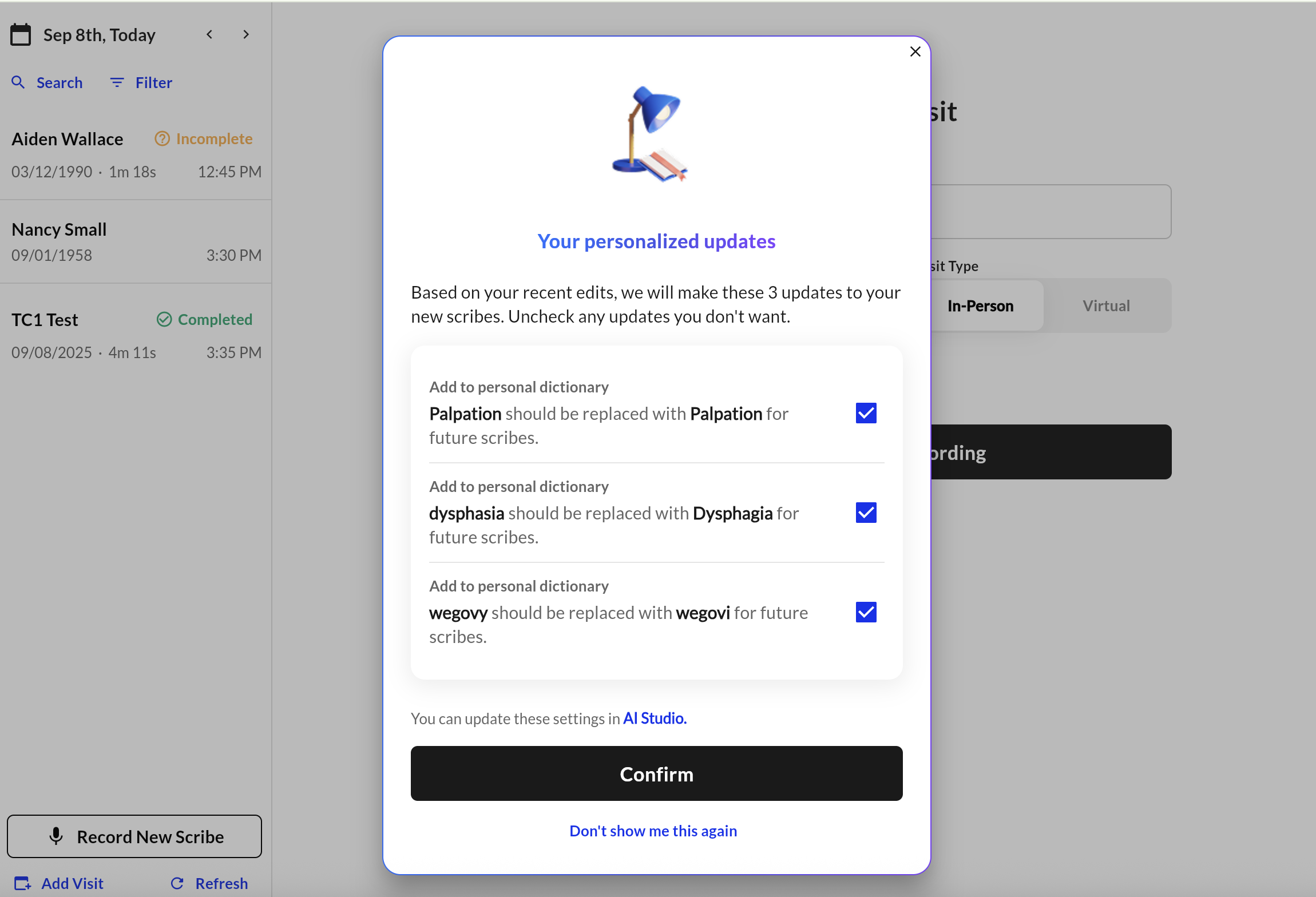
Passive Learning
- Continuously adapts to provider edits to minimize manual effort
-
Maintains full user control while accelerating note creation
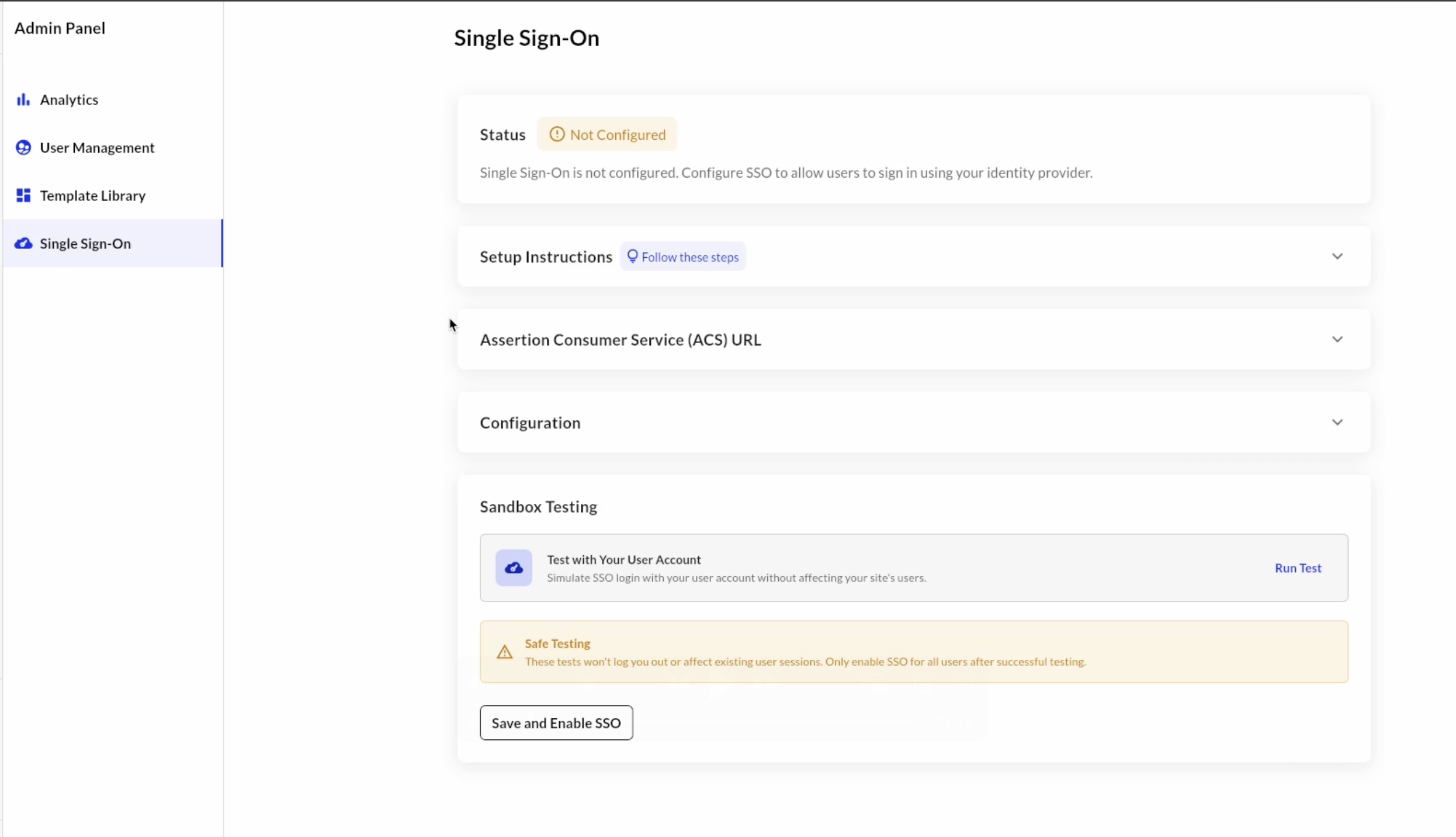
Single Sign-On
- Faster go-live and fewer tickets with self-serve setup
- Safer configuration with sandbox testing before production
-
Centralized authentication and deprovisioning via the customer’s IdP
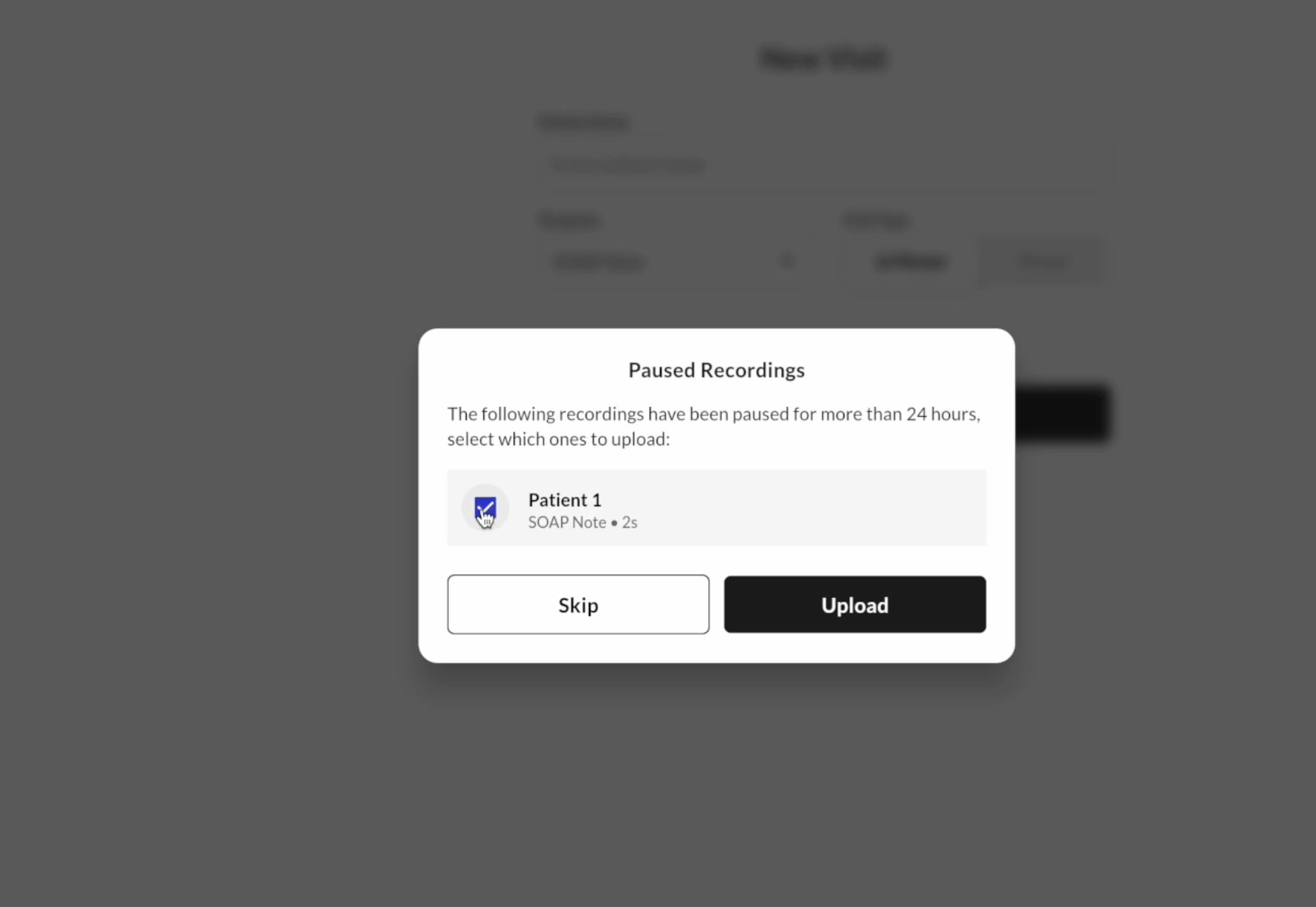
Upload Paused Recordings
- Reduces provider confusion around missing scribes
-
Ensures valuable recordings don’t go unused
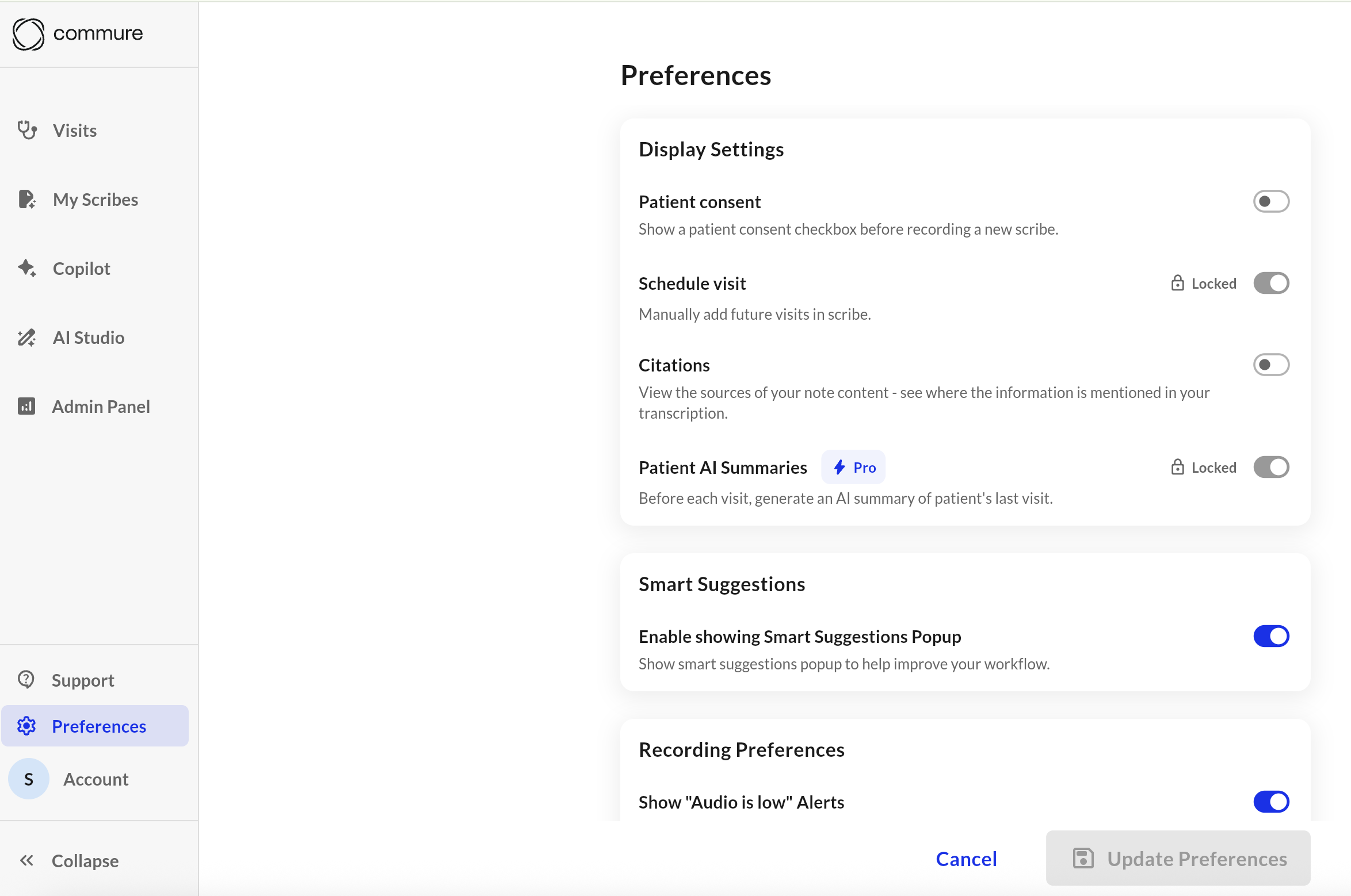
Site-level Preferences
-
Provides sites with control over individual provider preferences, especially useful for enterprise customers
Show 07/28/2025
Show 07/28/2025
Commure Ambient Rebrand
.png?fit=max&auto=format&n=wmbG28qPd-wmzrP_&q=85&s=3d52bff01fd7ab2e7d7553e1dc4f54b1 "Image(8) Pn")
.png?fit=max&auto=format&n=J9A9ZT6cdQlyL3xx&q=85&s=5b67389c0802f2d0c4adc2aa8bdda7d0)
.png?fit=max&auto=format&n=wmbG28qPd-wmzrP_&q=85&s=f421f19d9d41b0a7112f745209527e37)
Personal Dictionary
- Map spoken terms to preferred spellings or formats
- Helps reduce repeated transcription errors
- Custom entries apply automatically during transcription
Carry Forward Diff View
- Exactly what content was reused from the prior note
- What’s been added, removed, or changed in the new note
- How the carried-forward content fits into the current context
PT Chart Review
- Automatically checks for required content based on specified guidelines
- Assigns a compliance grade to help providers identify gaps
Learned Format
- Choose specific sections to serve as formatting templates
- Helps maintain consistency across notes
- Adapts to individual documentation preferences over time
Show 07/14/2025
Show 07/14/2025
Copilot
- Copilot responses are now generated from only 50 trusted medical sources like FDA, CDC and NIH
- Each copilot response consists of references and citations that provide its true/accurate source of information
- Prompt suggestions for each user are now dynamic. This means we can change suggestions for each user/specialty type to encourage higher usage
Preferences
- Select your primary note template, which updates the default template shown when starting a new scribe
- Enable or disable features like Carry Forward, Highlight Differences, Face ID, and Two-Step Verification
- Set up preferences like patient pronouns, signature, or the need for patient consent.
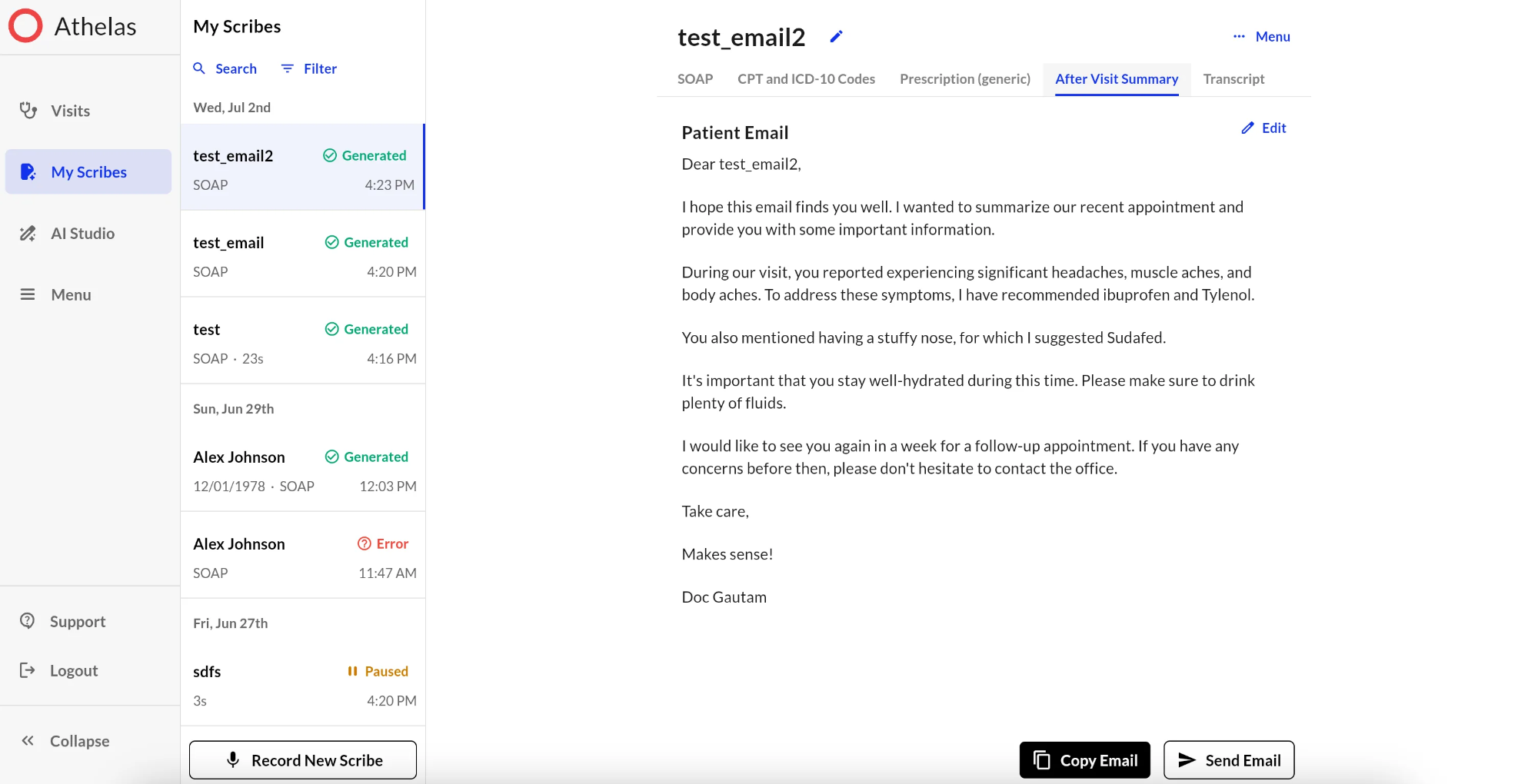
After Visit Summaries (AVS)
- Manually generate an AVS tied to a specific note template
- Edit the content of the summary before sending
- Securely email the summary to the patient with one click
- Automatically generate AVS for each visit by linking templates and enabling a flag
Expanse V2 Writeback – PDOC Flow
Regenerate Without New Context
.png?fit=max&auto=format&n=_aXAJreafWQShZN9&q=85&s=c3e55ca6e8f0d0760e96afef186be578)
Citations
- The exact part of the transcript the content was pulled from
- An overlay to review the audio context
- A jump link to highlight the cited content in the transcript tab
In-App Notifications for Outages
- Automatically refreshed every 5 minutes
- Targeted by site, EHR, device, or platform
- Severity-based: ranging from minor dismissible alerts to critical non-dismissible warnings
.png?fit=max&auto=format&n=_aXAJreafWQShZN9&q=85&s=f785ae66824675669d4823ac9d226df1)
HCC "MEAT" Highlighting
- HCCs are pulled from the patient’s problem list after the visit
- The note is automatically scanned to determine which MEAT components are present
- A visual UI shows which components are met or missing for each HCC
- Supporting rationale is extracted from the note
- Providers can dictate or manually add missing elements, and the system re-runs the analysis in real time
.png?fit=max&auto=format&n=dxrWECjkmohbkB78&q=85&s=4fff85422aef578b12be6edbe5b3b763)
Show 06/30/2025
Show 06/30/2025
AI Copilot
Carry Forward Note (Integrated & Unintegrated)
.png?fit=max&auto=format&n=AtBs-8zw6H05b97v&q=85&s=cfa8a7ab983da73e35e35e430000b515)
Dictation Mode
.png?fit=max&auto=format&n=pkP0FTbN_X-IzpfC&q=85&s=e160a5ab5d01f36306b209aae868c1f1)
Note Highlighting for Macros
.png?fit=max&auto=format&n=fJ2KFFSar6RfVuN3&q=85&s=f9f41ca7a57f2ea637c7fe83eff79fcb)
SCIM Support
New Help Center
.png?fit=max&auto=format&n=fJ2KFFSar6RfVuN3&q=85&s=e5a653887277c5aeab986427eef8fcc3)
ELO Test Framework
.png?fit=max&auto=format&n=1hUmeZKN-5fd6Gz9&q=85&s=e3c1634f5484d7e3db73c46489c4e109)
MDM+
.png?fit=max&auto=format&n=Asqgt3bMtEzmGOnG&q=85&s=2c9435e7a5a9315dc524adbeda2c4062 "Image(13) Pn")
Macros
.png?fit=max&auto=format&n=Asqgt3bMtEzmGOnG&q=85&s=84f5a9dc1aa5a6097560fb920399011f)
Unassigned List
.png?fit=max&auto=format&n=rtr8Ph-E7nLxzPn3&q=85&s=f00136855d1e57b799bd67db6bb35214)
.png?fit=max&auto=format&n=vTQbOdx2mZMKAMWW&q=85&s=2e7f1c019144a29bce1285e3d177c1e6)