> ## Documentation Index
> Fetch the complete documentation index at: https://docs.ambient.commure.com/llms.txt
> Use this file to discover all available pages before exploring further.
# [New] Patient 360
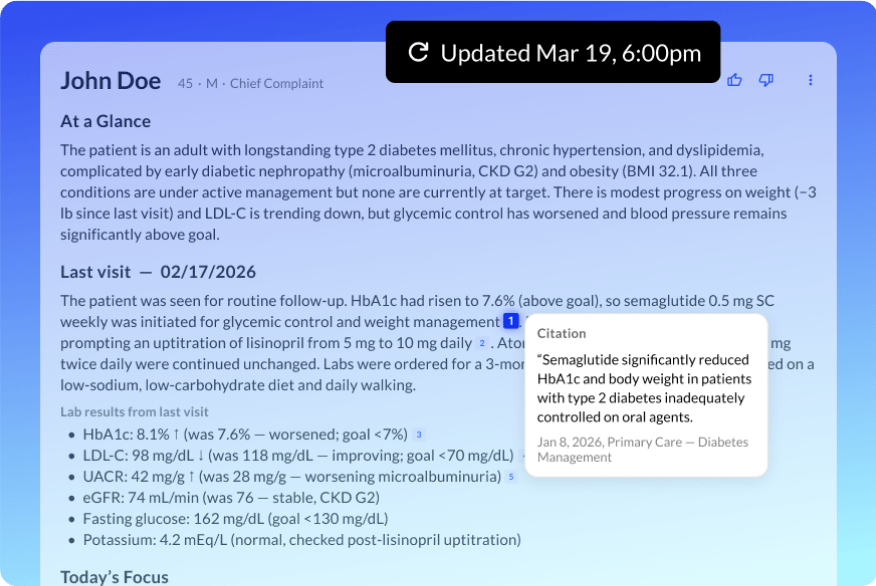
Patient360 gives providers a comprehensive AI-generated pre-visit summary powered by EHR data, surfacing medications, labs, allergies, and past signed notes before the appointment begins.
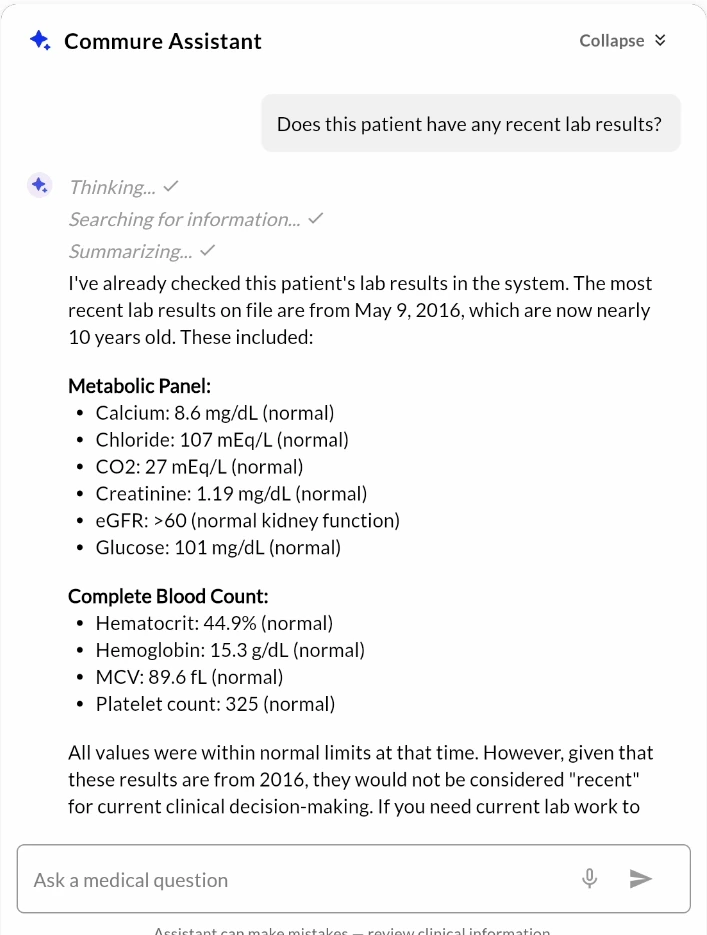
The Commure Assistant lets providers ask natural-language questions about any of this patient context, turning chart review into a conversation.
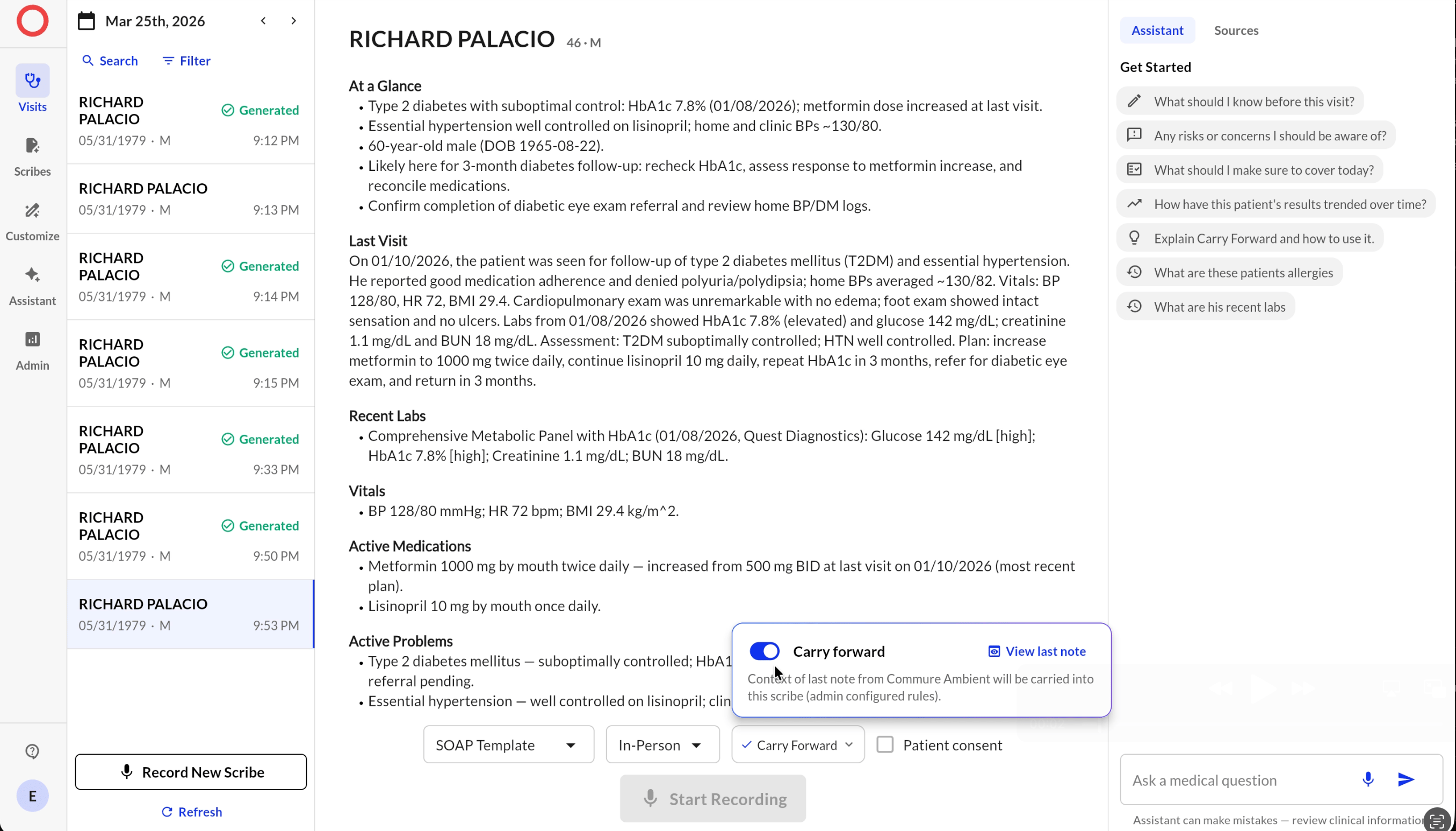
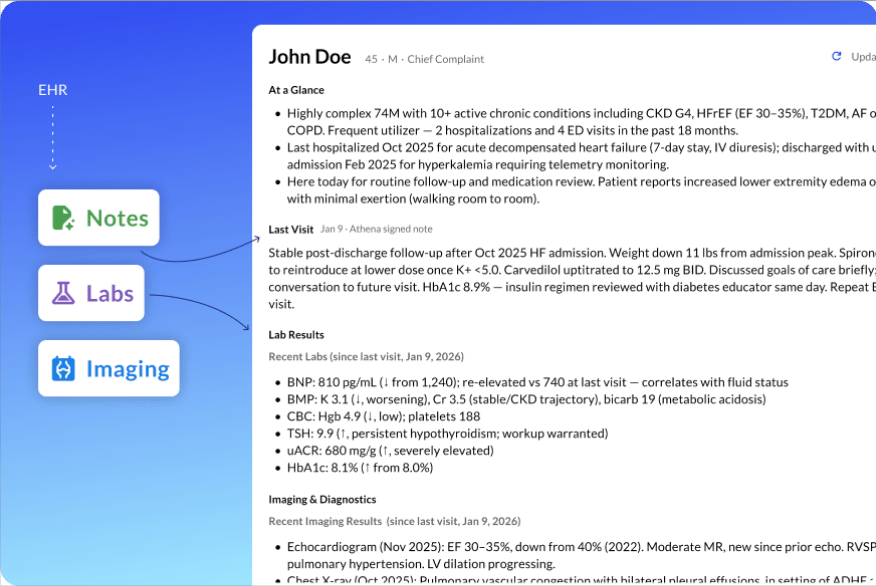
Below is an interactive click-through walkthrough showcasing what Patient 360 can do. Click through the steps to explore the feature.
***
### Pre-visit Summary
* Automatically generated for upcoming appointments with available EHR data.
* Surfaces various sections: `At A Glance`, `Last Visit Summary`, `Active Problems`, `Recent Labs`, `Recent Imaging and Diagnostics`, `Active Meds`, and `Allergies`.
* Each section shows relevant data or an empty state indicating data is not on file.
***
### Commure Assistant Tab (Search & Summarization)
Providers can ask questions grounded in the patient's EHR data.
**Example queries:**
* "Does the patient have any allergies?"
* "Does this patient have any recent lab results?"
* "Summarize the last visit."
Answers are generated from the patient's available EHR data. If data is missing or incomplete, the Assistant will indicate that information is not on file.
 ***
## Sources
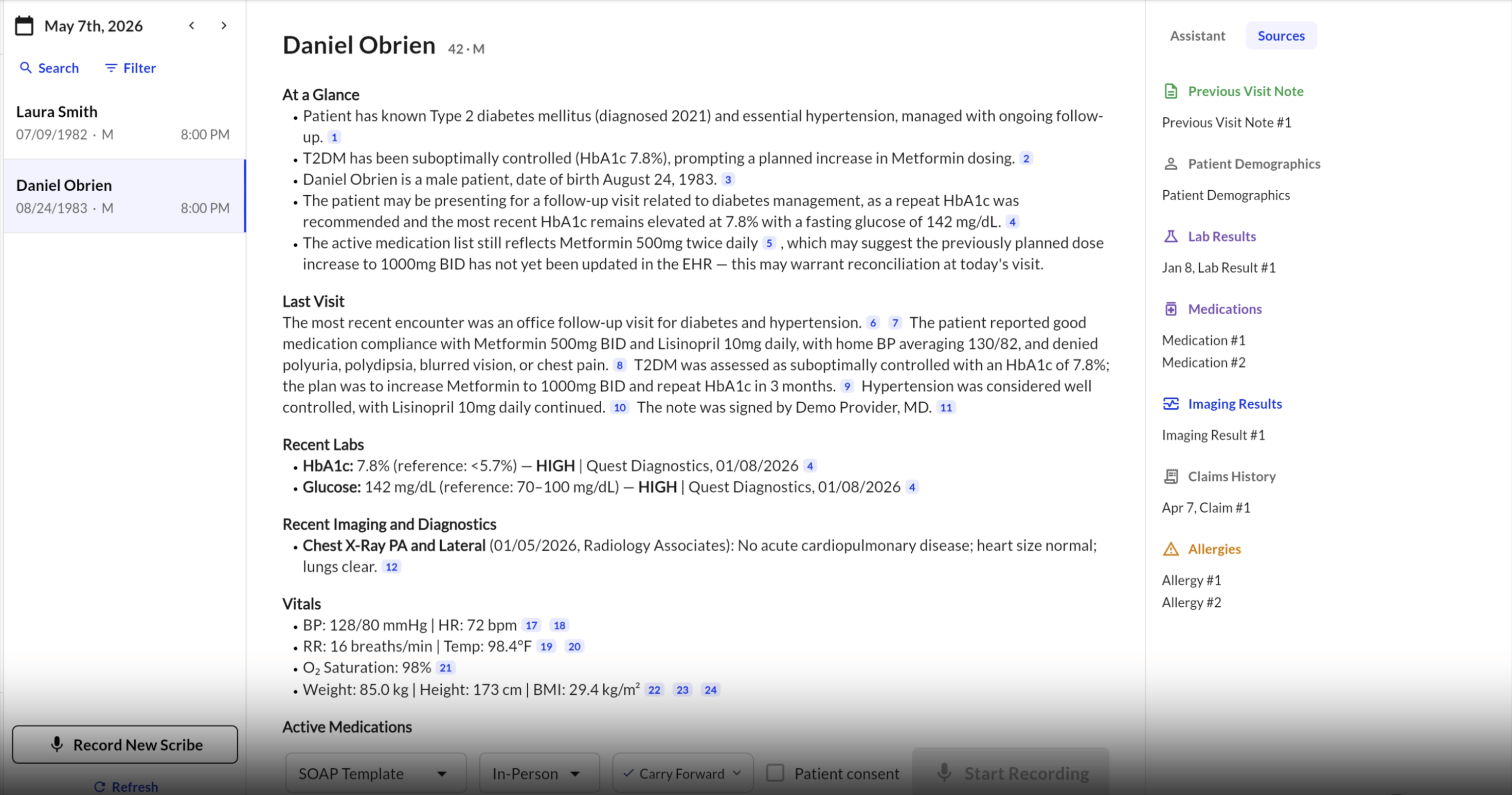
The Patient360 interface includes a dedicated Sources tab, giving clinicians a structured, navigable index of the patient's integrated EHR data directly alongside the AI-generated pre-visit summary. The Sources tab brings full transparency to the Patient360 experience before a recording ever begins.
* **Structured EHR index:** Clinicians can browse patient data organized by category—including previous visit notes, lab results, active medications, and allergies—without leaving the Patient360 view.
* **Click-through navigation:** Selecting any category surfaces the underlying records immediately, enabling quick verification of AI-generated summaries against the source data.
***
## Sources
The Patient360 interface includes a dedicated Sources tab, giving clinicians a structured, navigable index of the patient's integrated EHR data directly alongside the AI-generated pre-visit summary. The Sources tab brings full transparency to the Patient360 experience before a recording ever begins.
* **Structured EHR index:** Clinicians can browse patient data organized by category—including previous visit notes, lab results, active medications, and allergies—without leaving the Patient360 view.
* **Click-through navigation:** Selecting any category surfaces the underlying records immediately, enabling quick verification of AI-generated summaries against the source data.
 ***
### Known Limitations
* Currently supporting **Athena EHR only**.
* Does not work on Safari.
* UI may be impacted on small screen Android devices.
***
### Known Limitations
* Currently supporting **Athena EHR only**.
* Does not work on Safari.
* UI may be impacted on small screen Android devices.